MEGA to Internxt: Upgrade to Open-Source, Post-Quantum Storage (2026)
Move files from MEGA to Internxt for open-source, audited, post-quantum encryption and lifetime pricing. Manual upload vs a direct cloud-to-cloud transfer.
Introduction
Both MEGA and Internxt encrypt your files so the provider cannot read them, so this is not a move from insecure to secure — it is an upgrade within the privacy-cloud category. Internxt's edge is threefold: its client is open source and was audited by Securitum in 2024, it adds Kyber-512 post-quantum encryption on top of AES-256, and it sells one-time lifetime plans instead of MEGA's subscriptions. MEGA users also run into daily transfer quotas that throttle large downloads; Internxt does not cap your own transfers. This guide shows two ways to move your data: a manual browser transfer and a direct cloud-to-cloud method.
Quick Navigation
Overview of MEGA
MEGA is a New Zealand-based cloud service known for end-to-end, zero-knowledge encryption and a generous 20 GB free tier. Files are encrypted client-side, and the encryption key is derived from your password — which is also why losing that password can mean losing access entirely.
MEGA's weak points are its closed-source server stack, its subscription-only pricing, and transfer quotas that limit how much you can download in a given window, especially on free and lower-tier accounts. Users who want open, auditable code with quantum-resistant encryption and one-time pricing often look to Internxt.
Key Features of MEGA
- End-to-end encryption: Files are encrypted on your device with keys derived from your password.
- 20 GB free tier: One of the larger free allowances among encrypted clouds.
- Built-in chat and sharing: Encrypted file links and MEGA chat are included.
- Cross-platform apps: Desktop sync, mobile apps and browser access are all available.
Where MEGA Falls Short
MEGA's encryption is solid, but its model differs from Internxt in three ways that matter to long-term, privacy-focused users.
- Closed source: MEGA's stack is not fully open to public audit the way Internxt's client is.
- Transfer quotas: Daily bandwidth limits can throttle large downloads, complicating a bulk migration.
Why Internxt as the Destination
Internxt is an open-source cloud from Valencia, Spain, with zero-knowledge AES-256 encryption applied on your device. In 2024 it became the first consumer cloud to add Kyber-512 post-quantum encryption, and its client code is public on GitHub with a 2024 Securitum audit behind it.
Unlike MEGA, Internxt offers stackable lifetime plans — a one-time €135–€585 for up to 5 TB, extendable to 100 TB — and does not throttle your own uploads or downloads. The free tier is 1 GB. For migration, note that rclone/API access is restricted to the Ultimate plan.
What Sets Internxt Apart
- Open source and audited: Public client code plus a 2024 Securitum audit — verifiable rather than closed.
- Post-quantum encryption: Kyber-512 over AES-256 adds protection MEGA does not offer.
- No transfer quotas: Internxt does not cap your own uploads or downloads, unlike MEGA's daily limits.
- Lifetime pricing: One-time plans replace MEGA's recurring subscription for long-term storage.
Benefits of Switching to Internxt
- Verifiable encryption: You can audit how Internxt encrypts data instead of trusting a closed system.
- Quantum-resistant archive: Kyber-512 future-proofs files you intend to keep for many years.
- Pay once: A lifetime plan removes MEGA's ongoing subscription cost.
Why Move from MEGA to Internxt?
Migrating between two encrypted clouds is about upgrading the model, not fixing a security gap:
- Open over closed: Internxt's auditable client replaces MEGA's closed-source stack.
- Add post-quantum protection: Kyber-512 hardens your archive beyond MEGA's AES-only encryption.
- Escape transfer quotas: Internxt does not throttle your own transfers the way MEGA can.
- Lifetime instead of subscription: Stop renewing storage and pay once for long-term capacity.
MEGA is a capable encrypted cloud, but Internxt's open code, post-quantum layer, quota-free transfers and lifetime pricing make it the stronger long-term home for a private archive.
Preparing to Transfer from MEGA to Internxt
Set up both accounts and account for MEGA's quotas before starting:
- Upgrade to Internxt Ultimate: rclone access is Ultimate-only. Free, Essential and Premium Internxt accounts are rejected with a 'rclone access not allowed for this user tier' error, so upgrade before connecting.
- Be aware of MEGA transfer limits: MEGA caps daily download bandwidth on lower tiers. A direct cloud-to-cloud transfer is less affected than a manual download, but very large accounts may still pace against the quota.
- Split files over 40 GB: Internxt's rclone path caps single files at 40 GB; archive or divide larger items first.
With Ultimate active and MEGA's quotas in mind, choose whichever method below fits the size of your move.
How to Transfer Files from MEGA to Internxt
The first method is a manual browser transfer; the second uses CloudsLinker to copy files directly between the clouds.
Method 1: Manual Download and Upload via Browser
Step 1: Download from MEGA
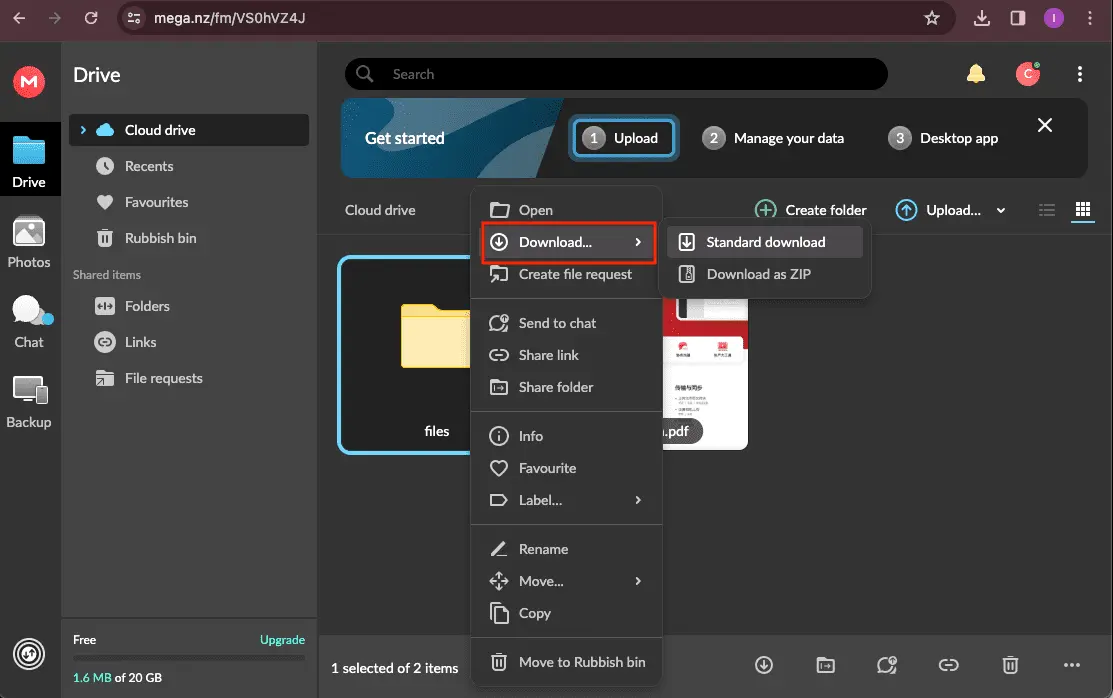
Sign in at mega.nz, select the files or folders to move, and download them. MEGA decrypts files in your browser as they download. Large downloads may pause if you hit the daily transfer quota.
Step 2: Sign in to Internxt
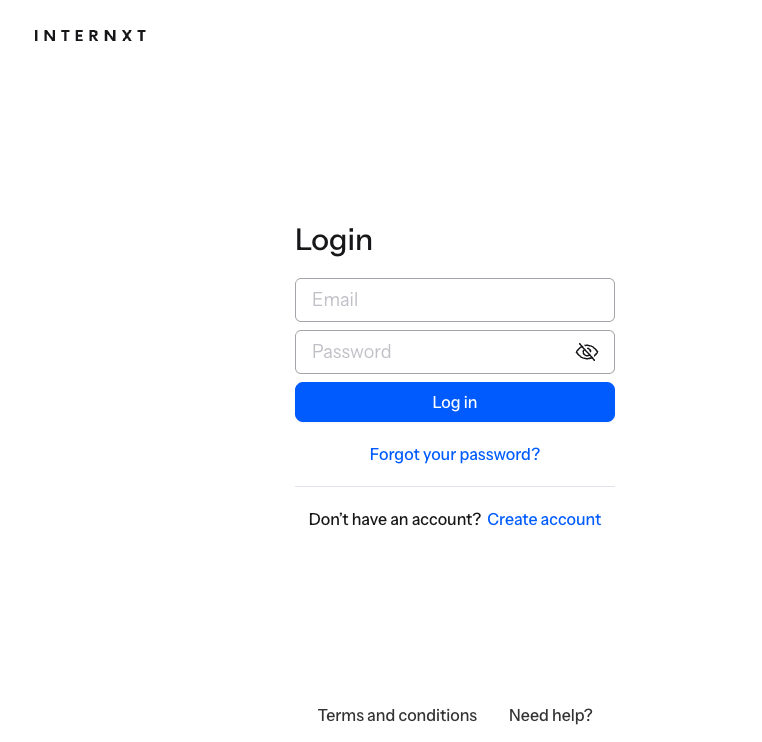
Open drive.internxt.com and log into your Ultimate account, enabling two-factor authentication if needed.
Step 3: Upload to Internxt
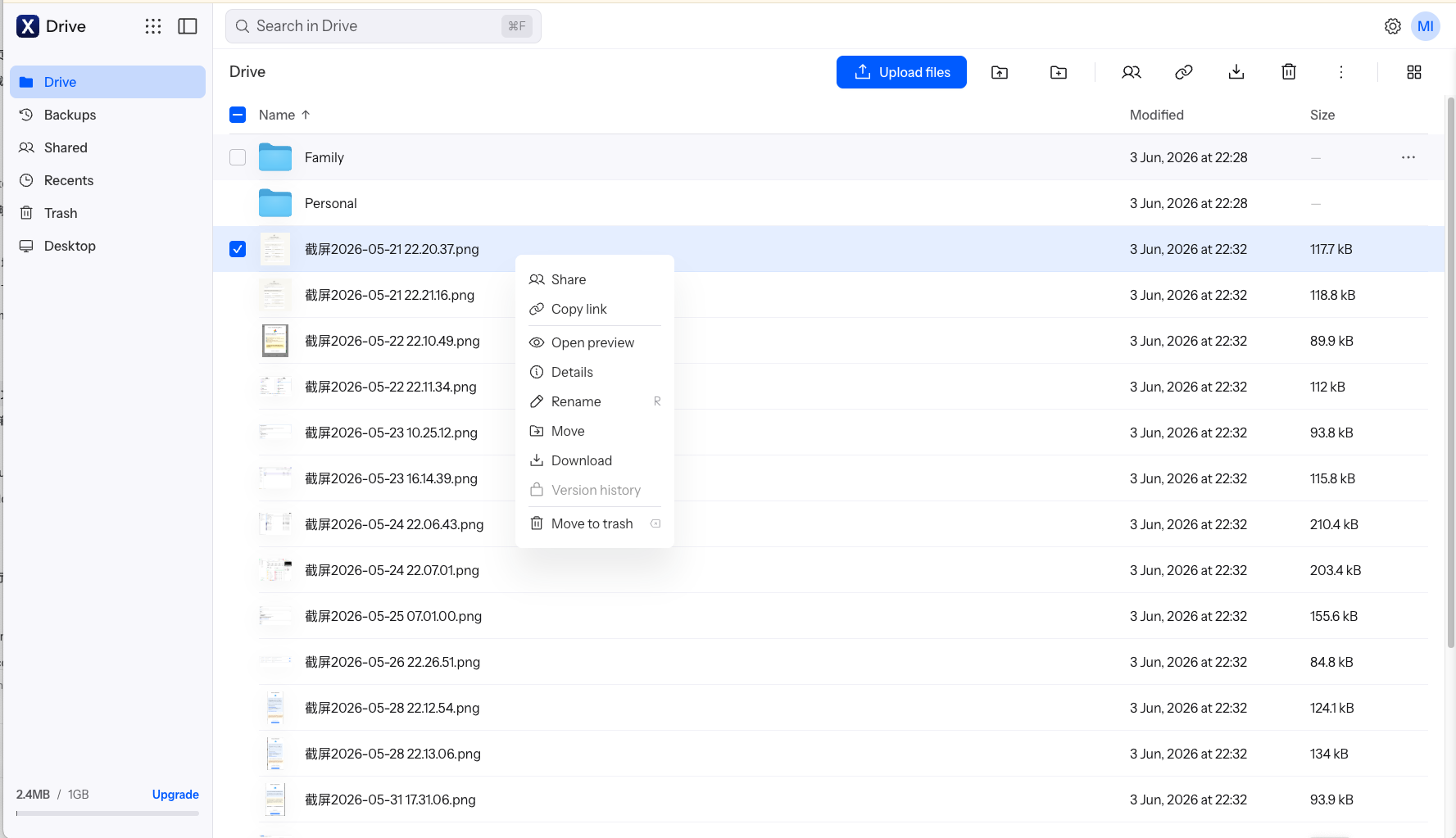
Drag the files into Internxt or use the upload button. Files are encrypted in your browser before upload; the web uploader accepts up to 40 GB per file. Upload large sets in batches to avoid interrupted sessions.
This route uses no extra tools, but MEGA's quota plus your local bandwidth can make a large migration slow, sometimes spanning more than a day.
Method 2: Transfer MEGA to Internxt Directly with CloudsLinker
Cloud-to-cloud transfer without local downloads
CloudsLinker copies files directly between MEGA and Internxt on the server side. Data does not pass through your device, and the job continues after you close the browser.
Step 1: Connect MEGA
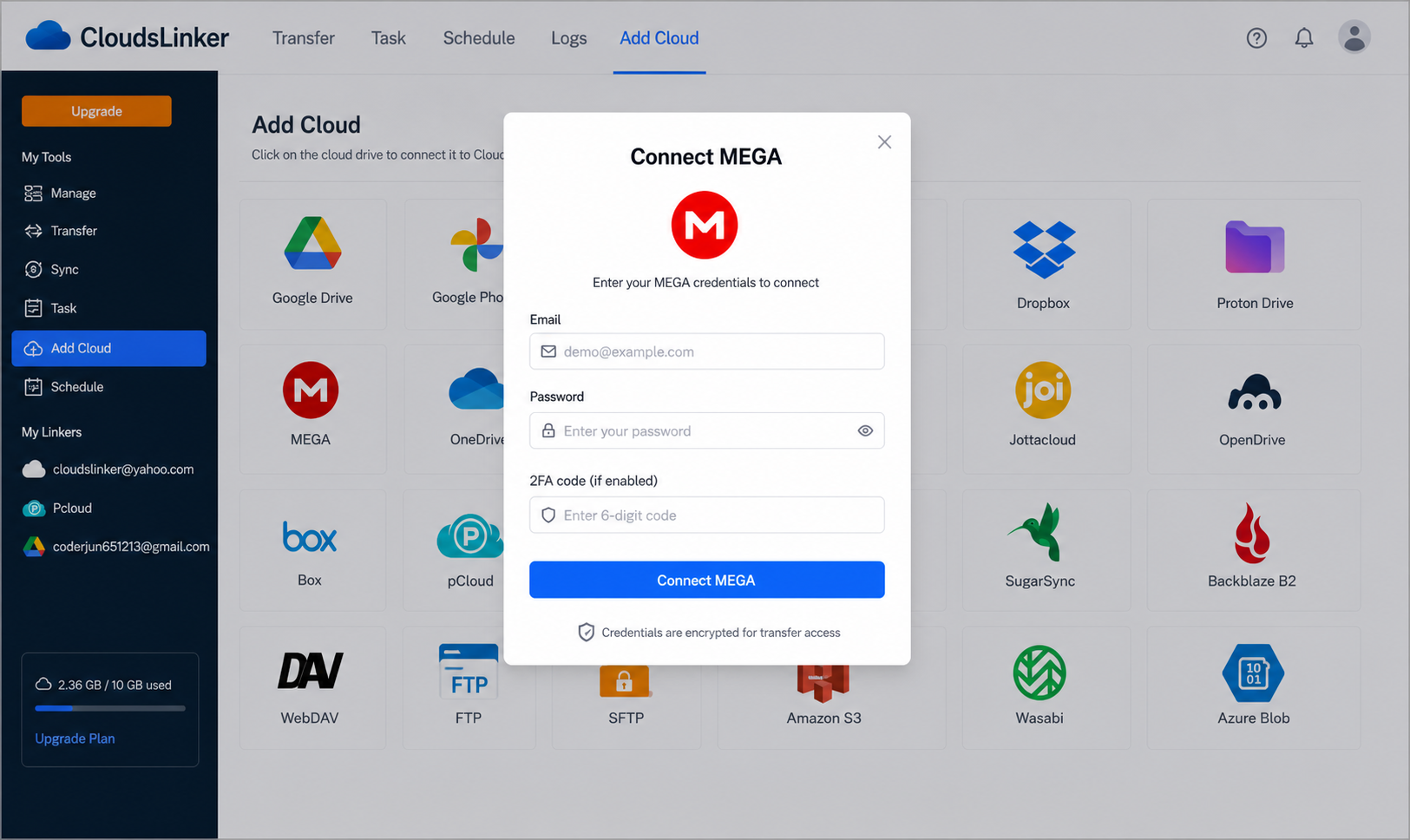
Sign in to CloudsLinker, click Add Cloud and choose MEGA. Enter your MEGA email and password; if 2FA is enabled, add the verification code. MEGA derives your key from this password, so it must be current.
Step 2: Connect Internxt
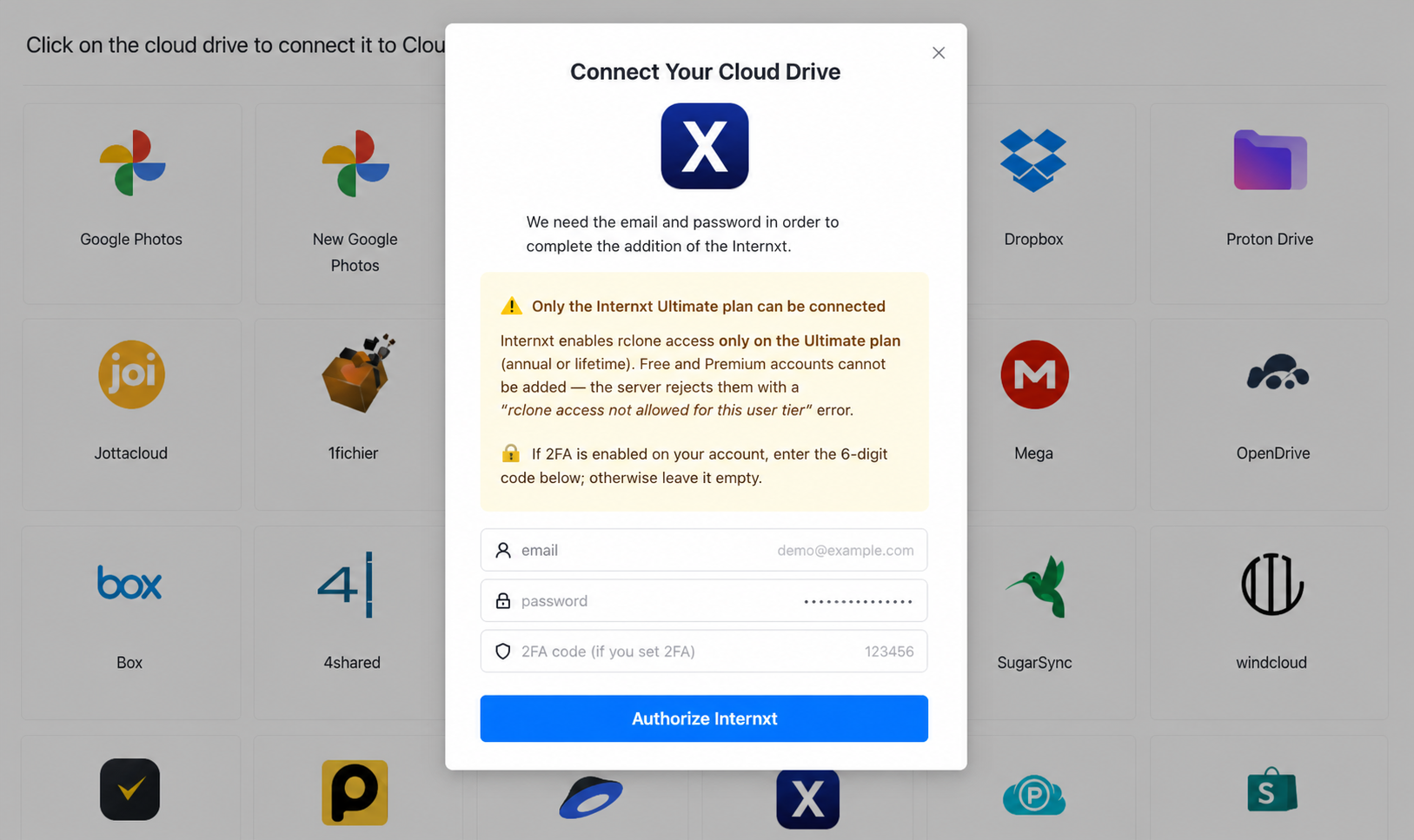
Click Add Cloud again, select Internxt, and enter your email and password plus a 6-digit 2FA code if enabled. The account must be on the Ultimate plan, or the connection is refused.
Step 3: Configure the transfer
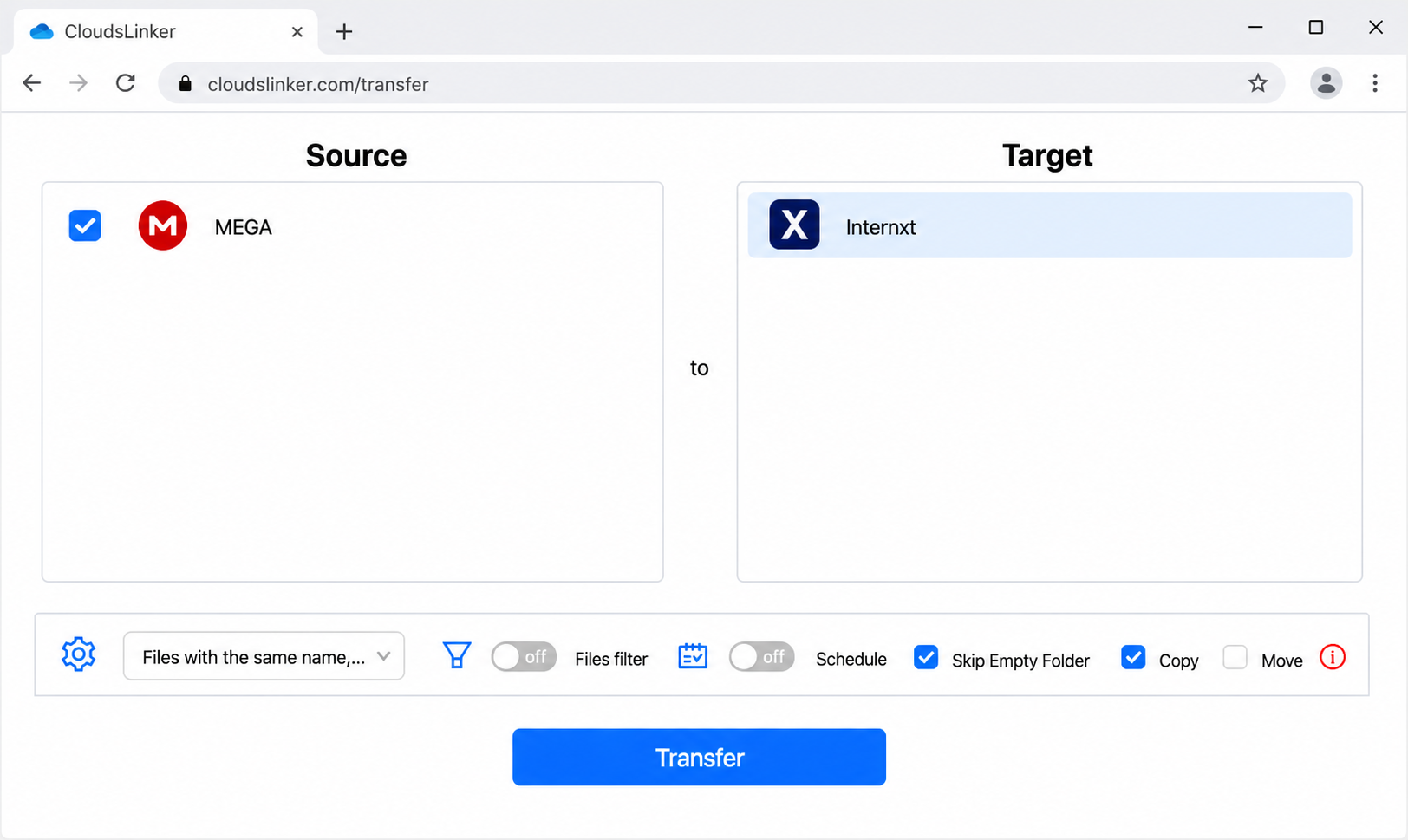
In the Transfer section, set MEGA as the source and select folders to move; set Internxt as the destination. Apply optional filters and choose Copy or Move mode.
Step 4: Start and monitor
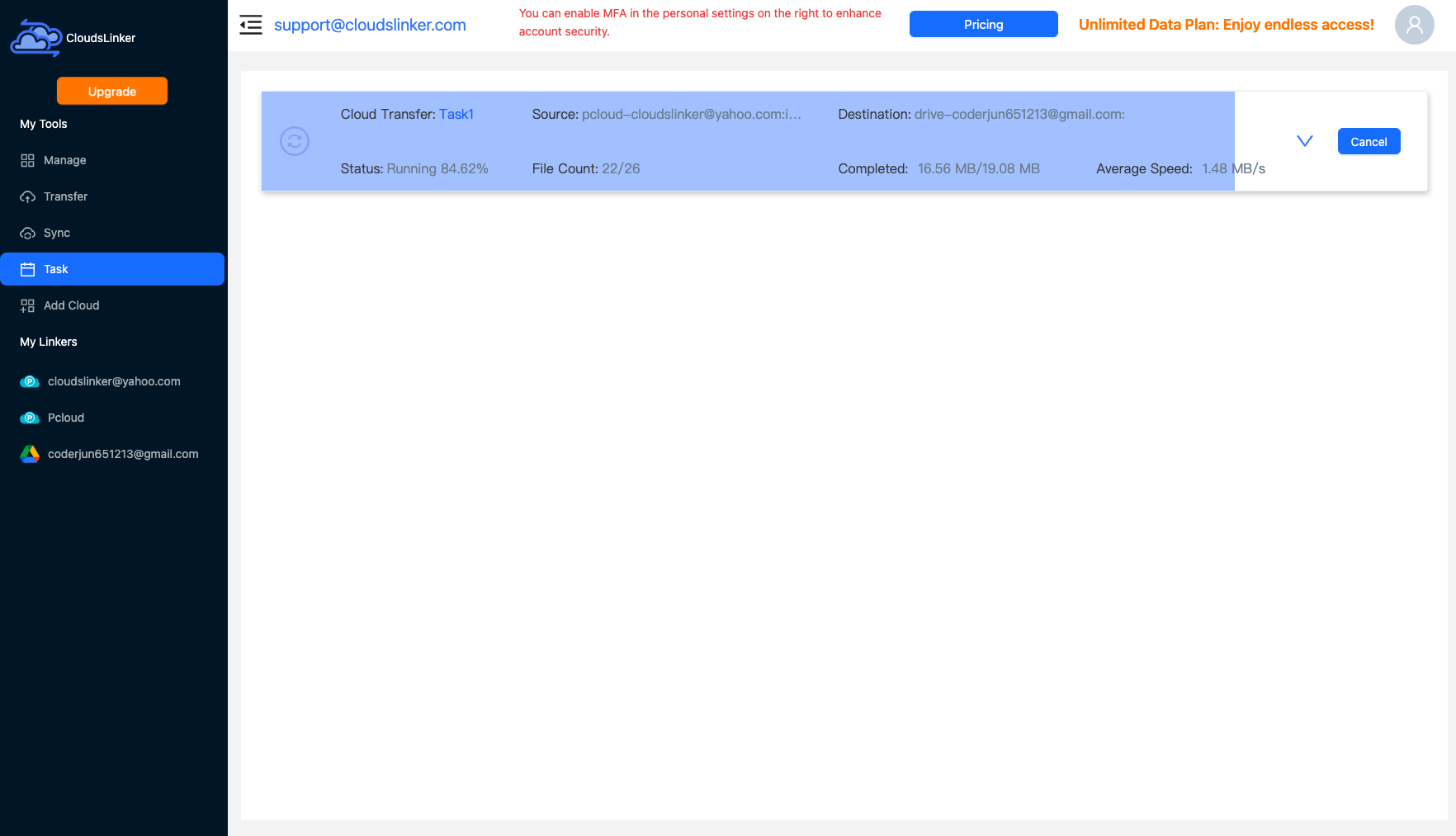
Start the transfer and watch the Task List for size, speed and remaining items. The job runs in the cloud, so your device need not stay online.
After Moving to Internxt
Verify the migration
Confirm the copy before clearing your MEGA account:
- Compare folders: Check a sample of folders in Internxt against MEGA to confirm everything transferred.
- Re-encrypt sensitive items if needed: Both clouds are zero-knowledge, but review that important files landed in the right Internxt folders.
Secure your Internxt account
Lock down the new archive:
- Enable 2FA: Turn on two-factor authentication in Internxt settings.
- Store your mnemonic offline: As with MEGA, a lost recovery key means lost data — keep Internxt's mnemonic safe.
MEGA to Internxt — Frequently Asked Questions
If MEGA is already encrypted, why move to Internxt?
Will MEGA's transfer quota slow the migration?
Do I need an Internxt Ultimate plan?
What is the largest file I can move to Internxt?
Are my files decrypted at any point during transfer?
How is the MEGA connection handled?
Conclusion
Because MEGA enforces transfer quotas, a manual download of a large account can stall partway and force you to wait out the limit — and Internxt's rclone path caps single files at 40 GB. A direct CloudsLinker transfer sidesteps the local download entirely and runs server-side. For anything beyond a few files it is the smoother path. As always with Internxt, the destination account must be on the Ultimate plan before any rclone-based tool can connect.
Online Storage Services Supported by CloudsLinker
Transfer data between over 58 cloud services with CloudsLinker

OneDrive

Google Drive

Google Photos

Shared Drive

OneDrive for Business

Dropbox

Box

Mega

pCloud

Yandex

ProtonDrive

AWS

GCS

iDrive

Storj

DigitalOcean

Wasabi

1fichier

PikPak

TeleBox

OpenDrive

Backblaze B2

Fastmail file

SharePoint

Nextcloud

ownCloud

Premiumize me

HiDrive

Put.io

Sugar Sync

Jottacloud

Seafile

Ftp

SFtp

NAS

WebDav

4shared

Icedrive

Cloudflare R2

Scaleway

Hetzner Object Storage

Synology C2 Object Storage

S3 Compatible

Doi

iCloud Drive

iCloud Photos

FileLU

Zoho WorkDrive

Telia Cloud / Sky

Drime

Filen

TeraBox

Internxt

Degoo

Gofile

Pixeldrain

Shade

Koofr
Didn' t find your cloud service? Be free to contact: [email protected]
Further Reading
Effortless FTP connect to google drive: Transfer Files in 3 Easy Ways
Learn More >
Google Photos to OneDrive: 3 Innovative Transfer Strategies
Learn More >
Google Photos to Proton Drive: 3 Effective Transfer Techniques
Learn More >