Google Drive Full? Park Cold Files on Pixeldrain at €4 per TB
Move Google Drive files to Pixeldrain's metered filesystem — pay only for what you store instead of Google One tiers. Manual and cloud-to-cloud methods.
Introduction
Pixeldrain charges for storage the way a utility bills electricity: €4 per terabyte per month on the Prepaid model, metered to what you actually keep. That pricing suits one situation particularly well — a Google account bumping against its shared 15 GB while most of the bulk is cold data nobody opens. Google One's answer is a fixed tier (2 TB at $9.99/month even if you need 300 GB); Pixeldrain's answer is a bill that scales down as well as up. The catch to know before moving: the Pixeldrain filesystem is a Pro feature, and downloads from it are metered too, so it rewards data you store rather than data you re-fetch weekly. This guide covers a manual browser move and a server-side copy with CloudsLinker.
Google Drive is the storage layer of every Google account — 15 GB free shared with Gmail and Photos, expandable through Google One tiers (100 GB at $1.99/mo up to 2 TB at $9.99/mo). Its native Docs, Sheets and Slides formats exist only inside Google.
- 15 GB free, shared across Gmail / Drive / Photos
- Paid plans are fixed tiers, not metered
- 5 TB max single file; 750 GB/day upload cap
- OAuth access for transfer tools
Pixeldrain is a Netherlands-based transfer and storage service whose Pro-tier filesystem is a hierarchical cloud drive with metered pricing: €4 per TB per month for storage on Prepaid, with per-TB billing on downloads.
- €4/TB/month storage, metered to actual use
- Filesystem is a Pro feature; free tier is link sharing only
- All filesystem egress is billed (~€1–2/TB)
- API-key access, EU hosting
| Feature | Google Drive | Pixeldrain |
|---|---|---|
| Pricing model | Fixed tiers (2 TB — $9.99/mo) | Metered: €4/TB/mo Prepaid; Pro covers up to 2 TB |
| Free allowance | 15 GB shared with Gmail + Photos | Link sharing only — no free filesystem |
| Egress / download fees | None (API rate limits apply) | Metered: ~€1/TB Prepaid, €2/TB shared dirs |
| Native document formats | Docs / Sheets / Slides (cloud-only) | None — stores files as uploaded |
| Upload constraint | 750 GB per account per day | No published cap; bandwidth-billed model |
| Connection in CloudsLinker | Google OAuth | API key (Pro plan) |
Sources: Google: storage and upload limits, Google Drive API limits, Pixeldrain: Filesystem guide, Pixeldrain: pricing.
Check one.google.com/storage first — if Gmail or Photos is the real quota hog, moving Drive folders won't fix it. Then separate the cold data (finished projects, old video, archives) from documents you actively edit: Google-native Docs get converted to Office formats on the way out, so live collaborative documents should stay. On the Pixeldrain side, make sure Pro (or a Prepaid balance) is active and create an API key at pixeldrain.com/user/api_keys. Finally, plan around the metering: this move is economical for data you park, not data you plan to pull back every week.
Method 1: Download and Re-upload by Hand
Step 1: Download from drive.google.com
Select the cold folders at drive.google.com and choose Download. Google zips the selection and converts native Docs/Sheets/Slides to Office formats inside the archive. Large selections arrive as multiple ZIPs.
Step 2: Upload into the Pixeldrain filesystem
Sign in to Pixeldrain, open the filesystem, create a destination directory and upload the extracted folders through the web interface.
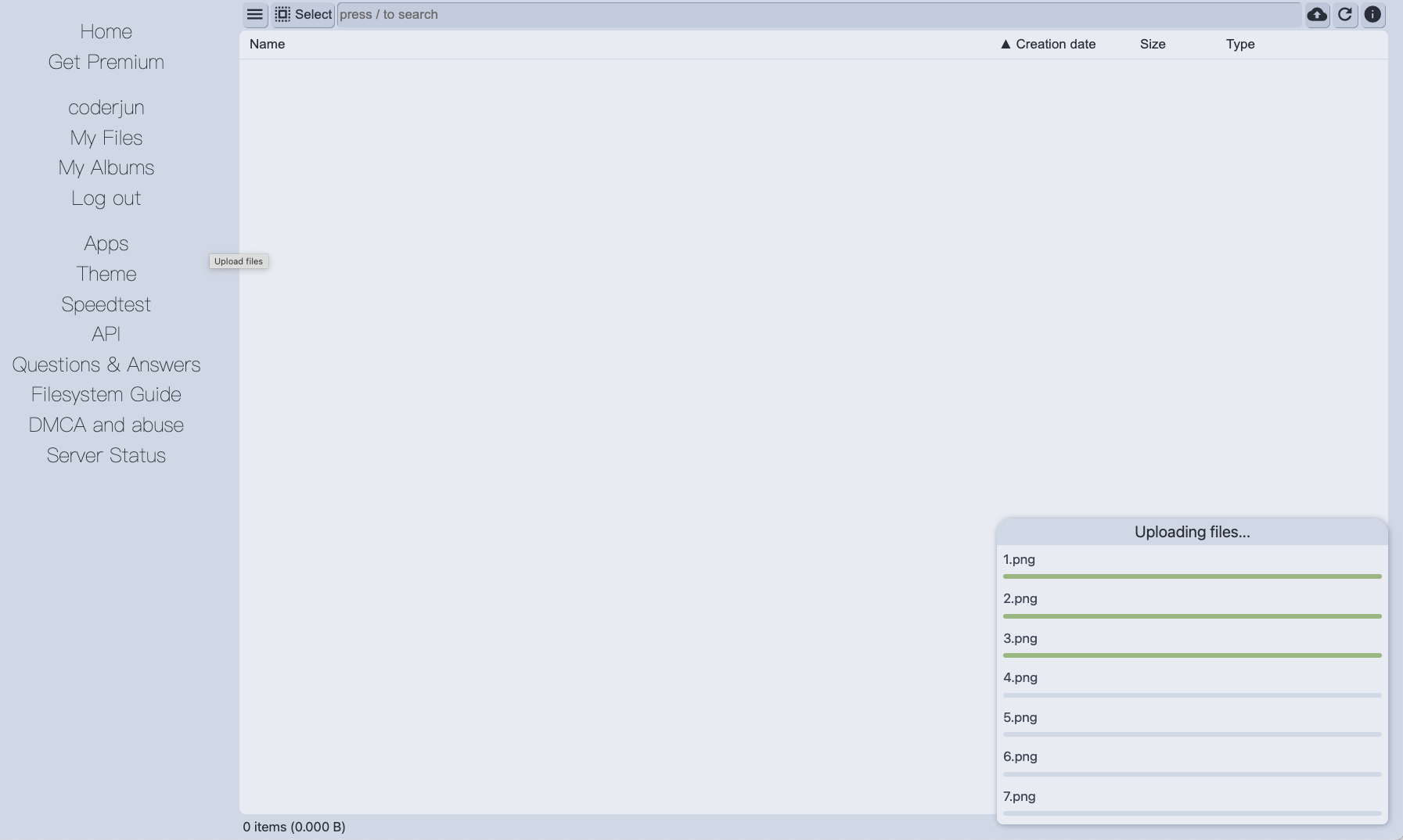
Workable for a couple of folders. For a few hundred GB, every byte crosses your connection twice, and re-assembling multi-ZIP downloads becomes its own chore.
Method 2: Copy Google Drive to Pixeldrain in the Cloud
One metered write instead of two local passes
CloudsLinker reads Drive over Google's API — pacing around its rate quotas automatically — and writes straight into the Pixeldrain filesystem by API key, converting Google-native documents to Office formats in flight. Your own bandwidth stays out of it, which matters when the point of the exercise is offloading hundreds of gigabytes.
Step 1: Connect Google Drive
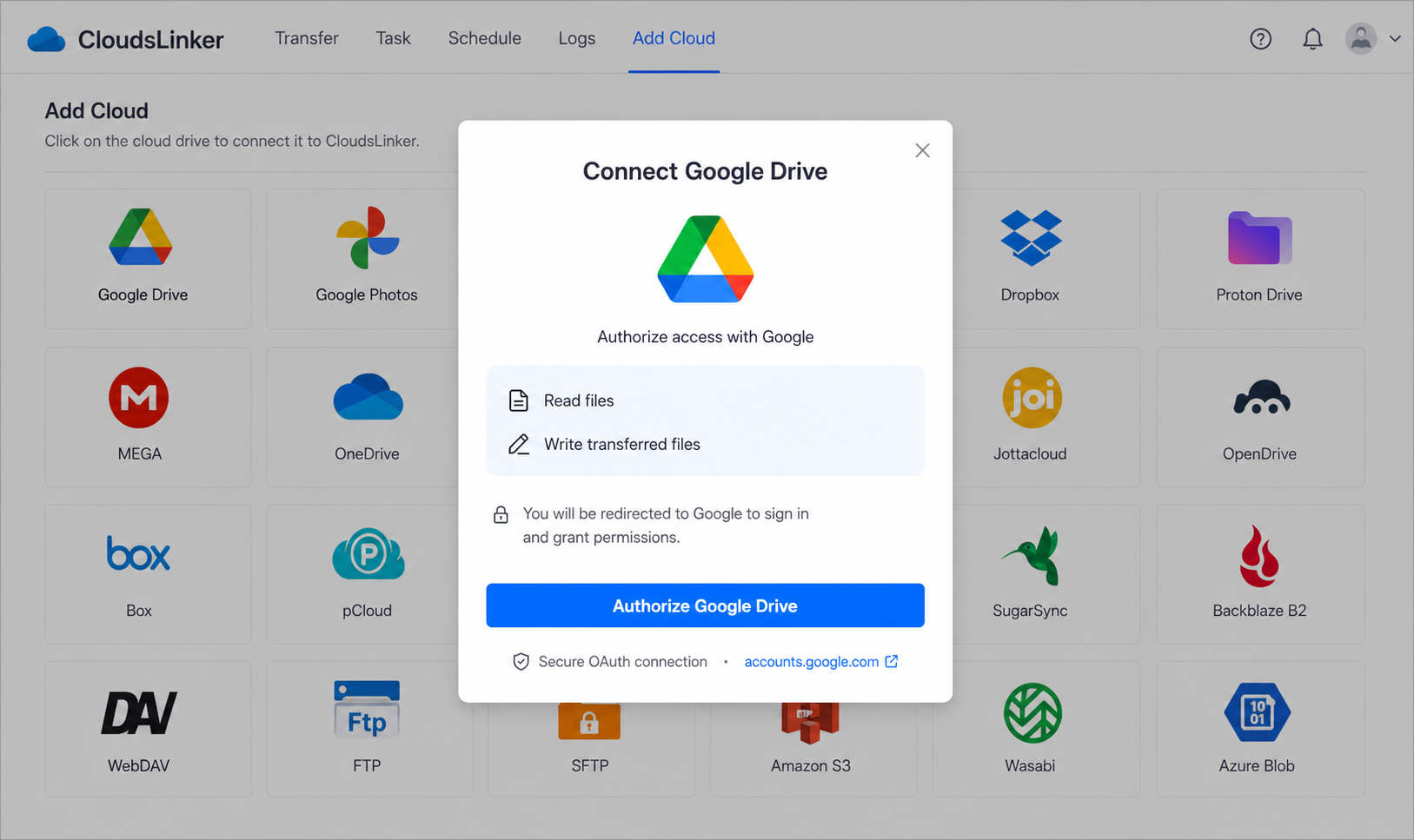
Click Add Cloud → Google Drive. Sign in on Google's consent page at accounts.google.com and approve Drive access. The grant is a revocable token, managed later from your Google account's security settings.
Step 2: Connect Pixeldrain
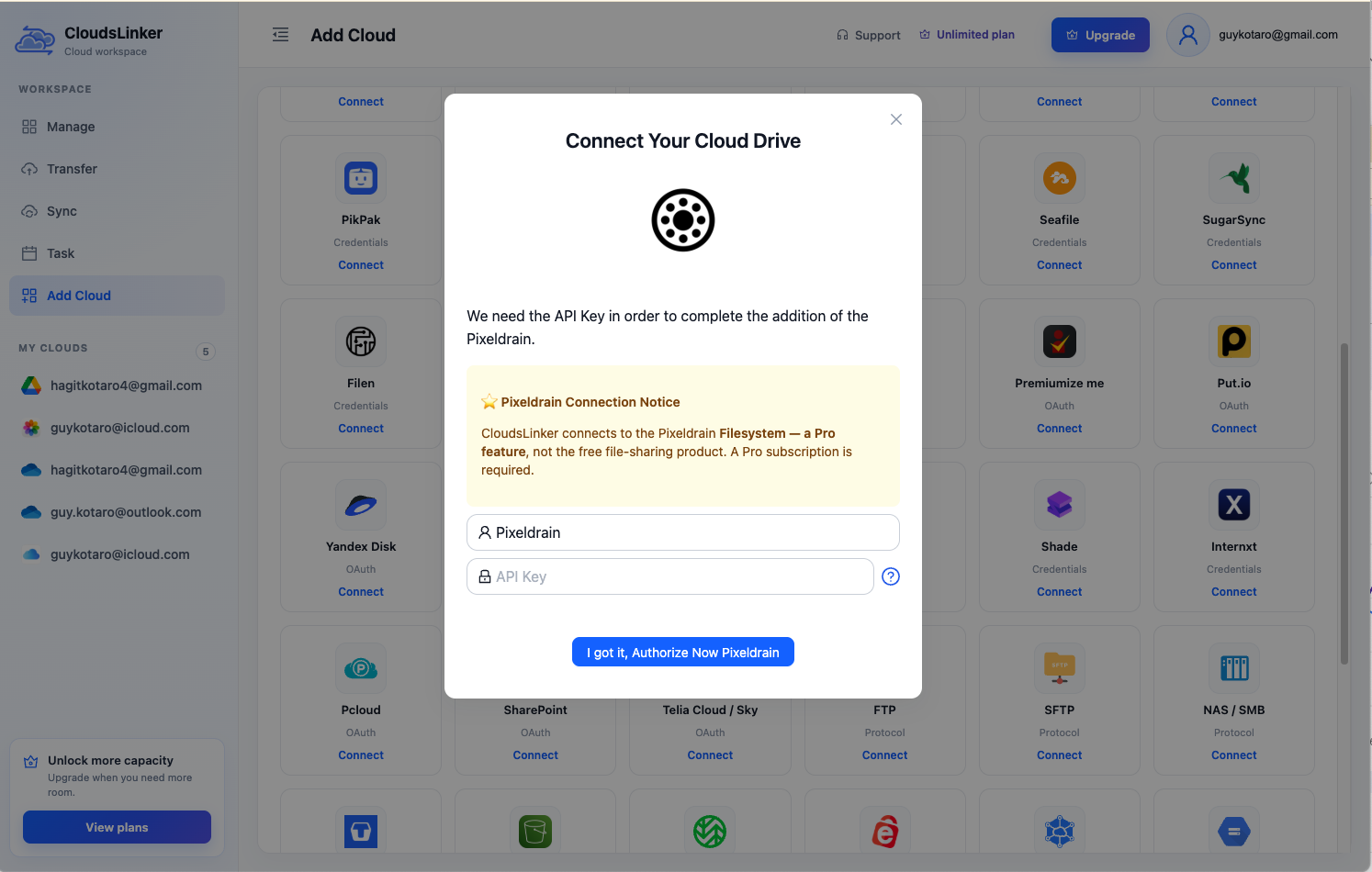
Click Add Cloud → Pixeldrain. Enter a display name and paste an API key — hover the (?) icon in the dialog for the direct link to pixeldrain.com/user/api_keys, where keys are created and revoked. The connection targets the Pro filesystem; a free account has nothing to connect.
Step 3: Configure the Transfer
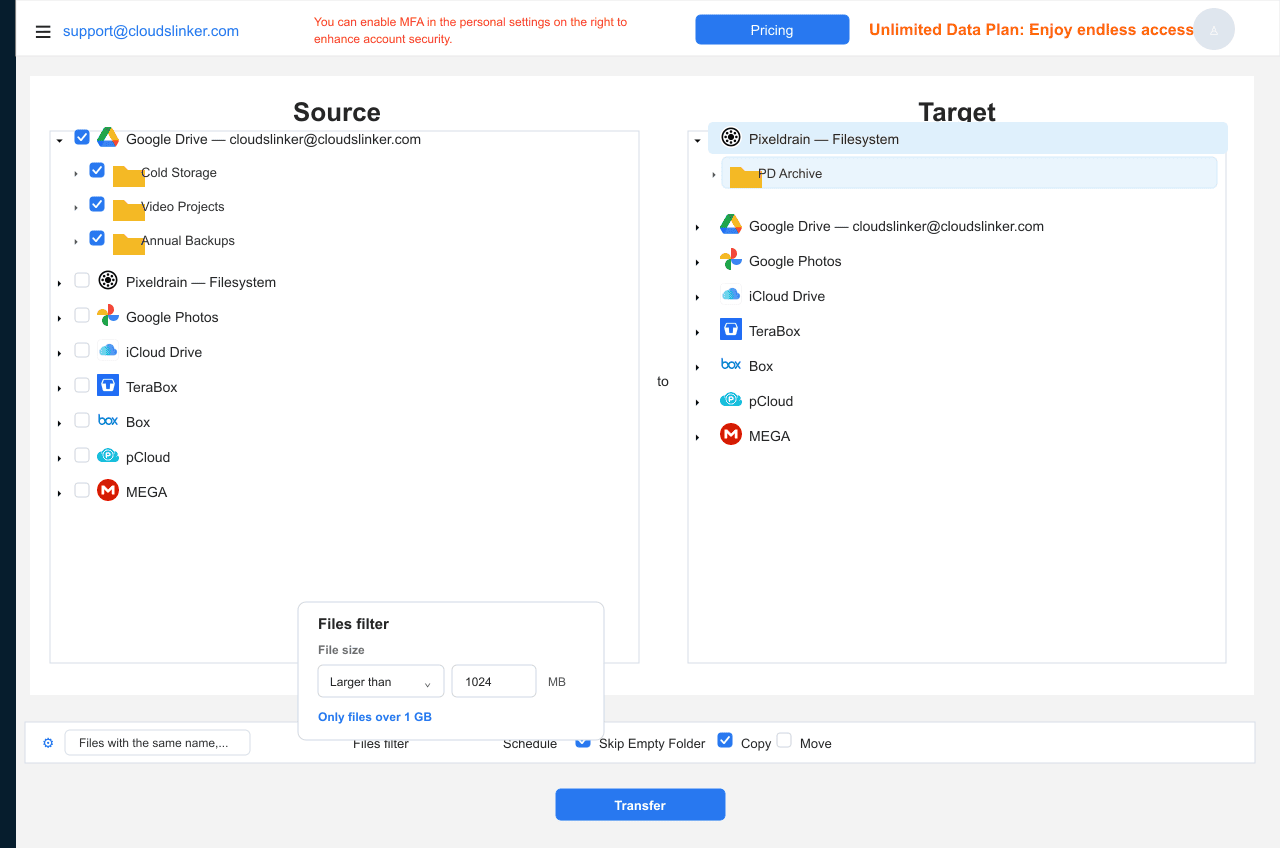
In the Transfer section, set Google Drive as the source and tick the cold folders. Set Pixeldrain as the destination and choose (or create) a filesystem directory. Filters by type, size or date let you offload, say, only video files over 1 GB. Copy keeps the Drive originals; clean Drive up manually after verifying.
Step 4: Start and Monitor the Transfer
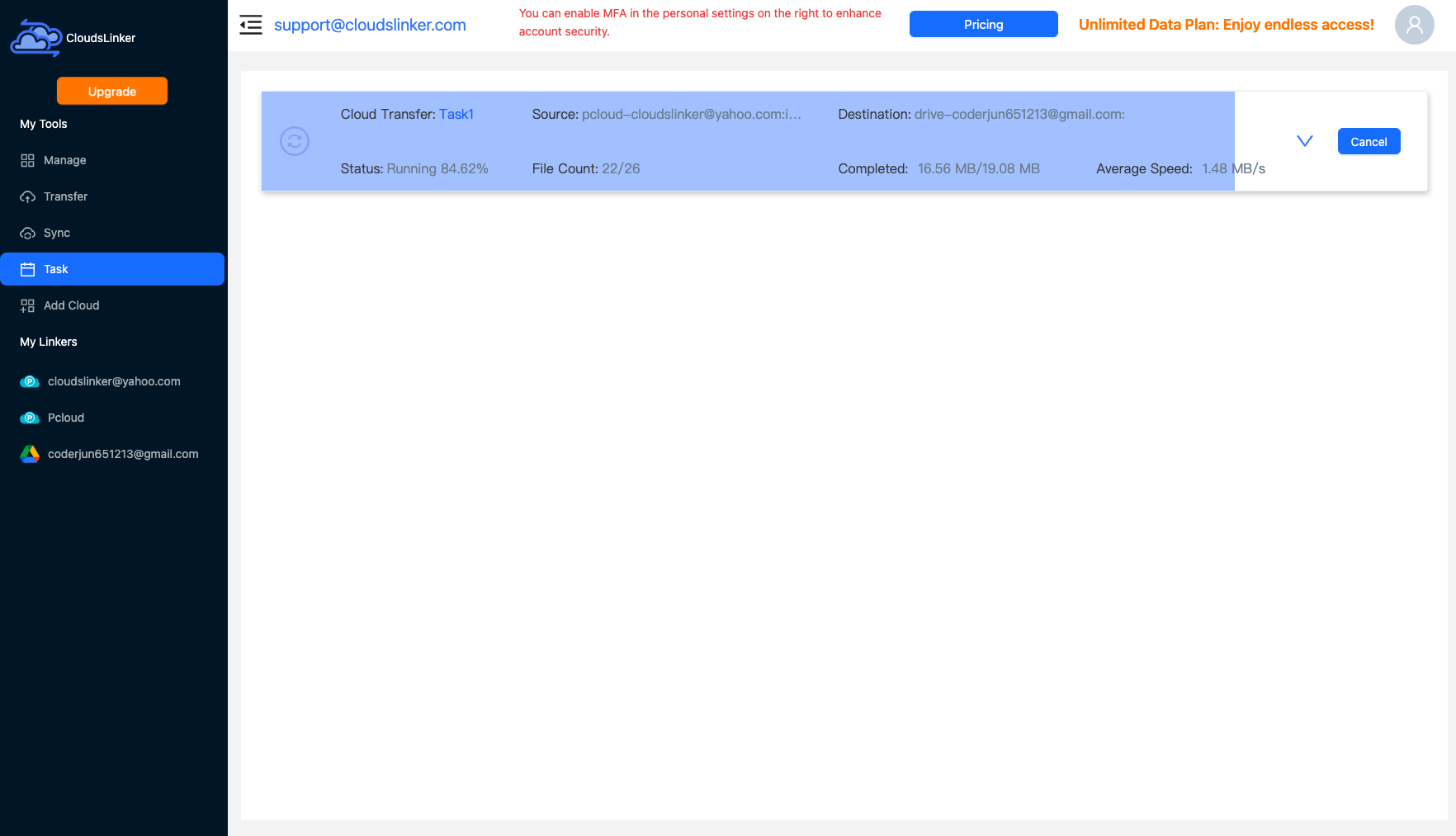
Start the job and follow it in the Task List — bytes moved, speed, files remaining. The copy runs on CloudsLinker's servers and continues after you close the tab.
Comparing the Ways to Transfer From Google Drive to Pixeldrain
| Method | Ease of Use | Speed | Best For | Uses Local Bandwidth | Skill Level |
|---|---|---|---|---|---|
| Manual download / upload | Medium | Slow | A folder or two | Yes — twice | Basic |
| CloudsLinker | Easy | Fast (server-side) | Multi-hundred-GB offloads, Docs conversion | No | Basic |
- Audit quota before moving: one.google.com/storage shows whether Drive, Gmail or Photos is actually full — offloading Drive files can't fix a Gmail problem.
- Park cold data only: Pixeldrain bills every filesystem download (~€1–2/TB). Files you re-open weekly belong in Drive; files you open yearly belong here.
- Expect Office formats on arrival: Docs → .docx, Sheets → .xlsx, Slides → .pptx. Anything with Apps Script or linked-sheet logic should stay in Google.
- Handle 'Shared with me' explicitly: only your own My Drive is included — shortcut or copy anything critical into it first.
- Use a dedicated API key: create a Pixeldrain key just for CloudsLinker so it can be revoked independently later.
- Empty Drive's trash afterwards: deleted Drive files keep counting against quota for 30 days unless you empty the trash.
- Watch the Pro/Prepaid boundary: Pro includes up to 2 TB of filesystem storage; a bigger offload silently shifts to €4/TB Prepaid metering — budget accordingly.
Frequently Asked Questions
Conclusion
For a folder or two, downloading from Drive and re-uploading through Pixeldrain's web filesystem is quick enough. For the multi-hundred-GB offload that actually rescues a full Google account, CloudsLinker reads Drive over OAuth and writes into the Pixeldrain filesystem by API key in one server-side pass — no ZIP archives, and Google-native Docs are exported to Office formats on the way. Keep genuinely active files in Drive: Pixeldrain's metered egress makes it a parking lot, not a working drive.
Online Storage Services Supported by CloudsLinker
Transfer data between over 58 cloud services with CloudsLinker

OneDrive

Google Drive

Google Photos

Shared Drive

OneDrive for Business

Dropbox

Box

Mega

pCloud

Yandex

ProtonDrive

AWS

GCS

iDrive

Storj

DigitalOcean

Wasabi

1fichier

PikPak

TeleBox

OpenDrive

Backblaze B2

Fastmail file

SharePoint

Nextcloud

ownCloud

Premiumize me

HiDrive

Put.io

Sugar Sync

Jottacloud

Seafile

Ftp

SFtp

NAS

WebDav

4shared

Icedrive

Cloudflare R2

Scaleway

Hetzner Object Storage

Synology C2 Object Storage

S3 Compatible

Doi

iCloud Drive

iCloud Photos

FileLU

Zoho WorkDrive

Telia Cloud / Sky

Drime

Filen

TeraBox

Internxt

Degoo

Gofile

Pixeldrain

Shade

Koofr
Didn' t find your cloud service? Be free to contact: [email protected]
Further Reading
Effortless FTP connect to google drive: Transfer Files in 3 Easy Ways
Learn More >
Google Photos to OneDrive: 3 Innovative Transfer Strategies
Learn More >
Google Photos to Proton Drive: 3 Effective Transfer Techniques
Learn More >