Outgrew Your 2 TB pCloud Lifetime? Moving the Library to Degoo's 5 TB Tier
Transfer files from pCloud to Degoo when the lifetime plan fills up — compare a $1,190 pCloud upgrade against Degoo's $9.99/mo 5 TB, then migrate server-side.
Introduction
Degoo's Ultimate plan holds 5 TB for $9.99 a month — the relevant number the day your pCloud 2 TB Lifetime finally fills. pCloud's own next step is steep: the 10 TB Lifetime lists at $1,190, and there's nothing between 2 and 10. For a media archive that grew past 2 TB but nowhere near 10, moving the overflow (or the whole library) to Degoo costs less up front than a decade of the price difference. pCloud makes leaving easy — no download quotas, no per-file limits — so the only real work is the transfer itself. Two ways below: by hand through both web interfaces, or server-to-server with CloudsLinker.
pCloud is the Swiss cloud best known for lifetime plans: 500 GB for $199, 2 TB for $399, 10 TB for $1,190 — one payment, no renewals. It pairs the pricing with unusually permissive limits (no file size cap, unthrottled speeds) and a choice of US or EU data region.
- 10 GB free (after bonus steps)
- Lifetime: 2 TB / $399 · 10 TB / $1,190
- No per-file size limit, unmetered transfers
- Paid Crypto folder for zero-knowledge storage
Degoo is a Swedish consumer cloud selling bulk space: 20 GB free, 500 GB Pro at $2.99/mo, 5 TB Ultimate at $9.99/mo, plus intermittent lifetime offers through deal platforms. It's phone-first — apps on four mobile stores, a web app for subscribers, and no desktop sync client.
- 5 TB monthly plan fills the 2-to-10 TB gap pCloud leaves
- Lifetime deals appear periodically (commonly 10 TB)
- Per-file caps: 256 MB free / 50 GB subscription
- Paid Top Secret folder mirrors pCloud Crypto's role
| Feature | pCloud | Degoo |
|---|---|---|
| Free storage | Up to 10 GB | 20 GB (ads; 90-day inactivity rule) |
| Big-storage path | Lifetime: 2 TB $399 → 10 TB $1,190 | 5 TB at $9.99/mo; periodic lifetime deals |
| Max single file | None | 256 MB free / 50 GB subscription |
| Transfer metering | None (only shared links metered) | None |
| Zero-knowledge zone | Crypto folder (paid add-on) | Top Secret folder (paid plans) |
| Connection in CloudsLinker | OAuth (US/EU region) | Account email + password |
Sources: pCloud pricing, pCloud: speed limits, Degoo: plans, Degoo Help Center: Account limits.
Decide the split before the tooling: full exit, or overflow-only offload with the pCloud Lifetime staying in service? For an offload, define the cut — usually by modification date or by folder ("everything in /Archive"). Unlock nothing: files inside pCloud Crypto must be moved to standard folders in a pCloud client first if they're part of the plan. Confirm the Degoo tier fits the volume, scan for the rare 50 GB+ file, and note your pCloud data region (US or EU) for the OAuth step.
Method 1: Web Download from pCloud, Upload to Degoo
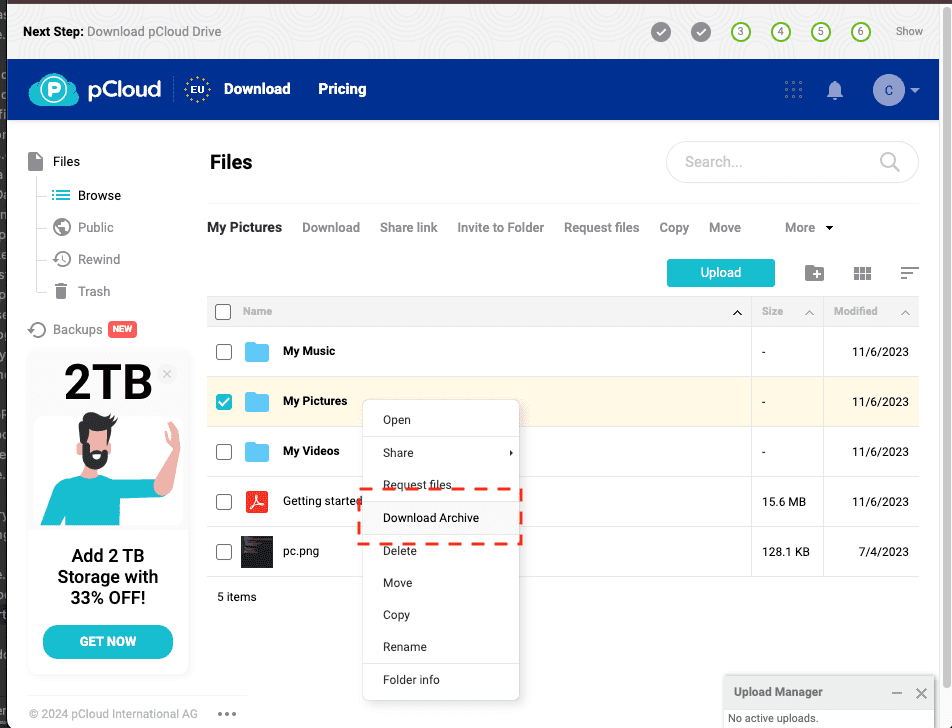
Step 1: Download from my.pcloud.com
Select folders at my.pcloud.com and choose Download — pCloud zips them without size ceilings and serves them at full line speed, which makes this the least painful manual export in this article series. The pCloud Drive desktop app is an alternative source if the files are already streamed locally.
Step 2: Upload into Degoo
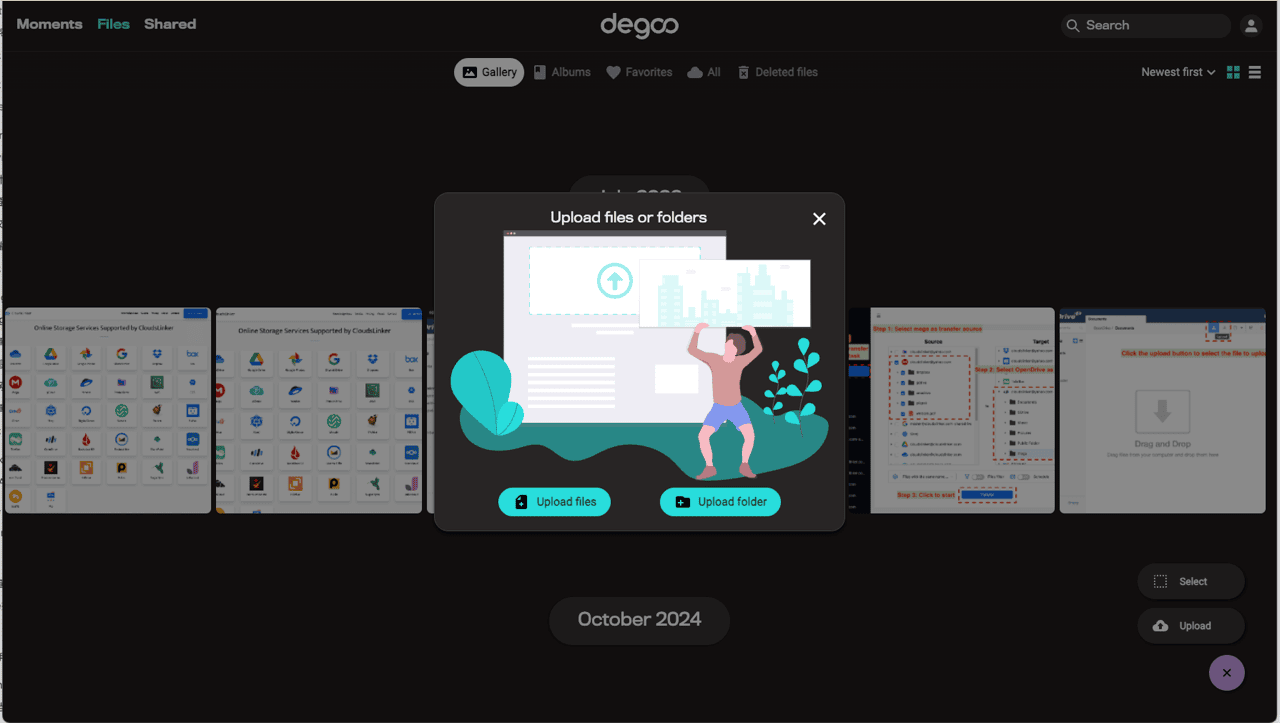
Extract and upload through app.degoo.com (subscription accounts) or the Degoo mobile app (free tier). Your connection carries everything twice, and each file must clear Degoo's per-file cap for your plan.
Reasonable up to a few dozen gigabytes. A 2 TB lifetime-plan library through a home connection is a different proposition — that's the server-side method's territory.
Method 2: Direct Cloud Copy with CloudsLinker
Two unmetered clouds, one job between them
CloudsLinker pairs pCloud's unthrottled API with Degoo's quota-free ingest, which makes this pair one of the fastest in the catalog — the bottleneck is simply file count. OAuth connects pCloud (region-aware, US or EU); Degoo joins with credentials; the archive flows datacenter-to-datacenter while your pCloud Drive sync and local machine stay out of it entirely.
Step 1: Connect pCloud
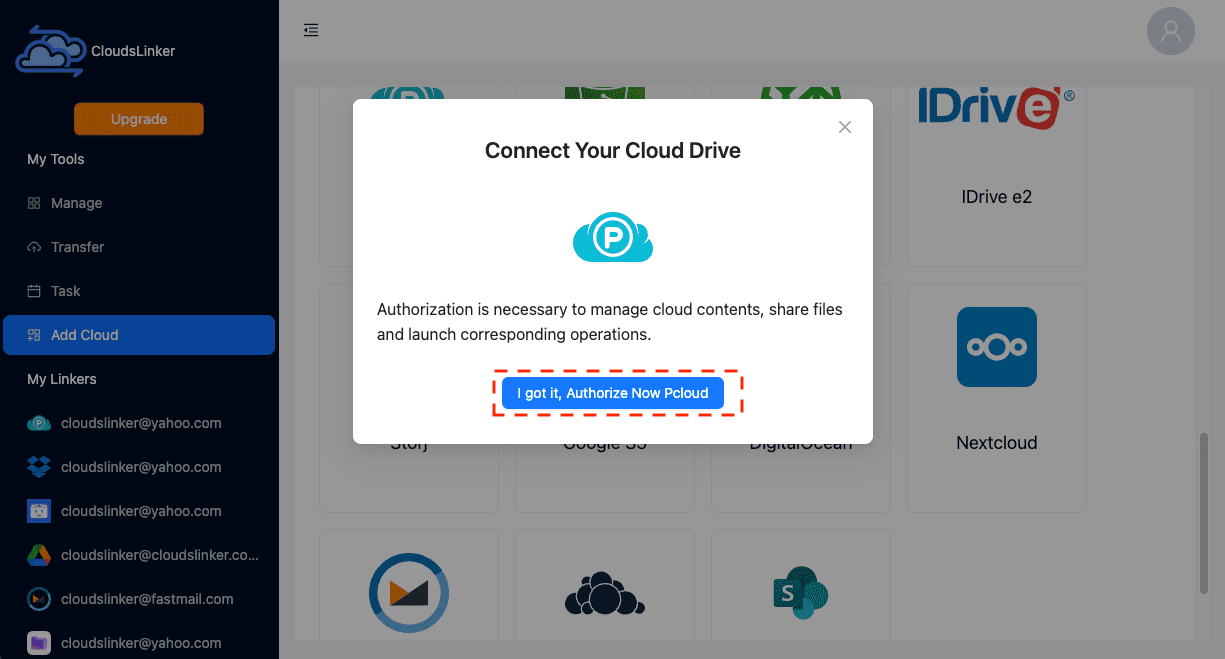
Click Add Cloud → pCloud. The OAuth window opens on pCloud's site — pick your data region if asked (US or EU, matching where the account was created), sign in, and approve. Revoke later from pCloud's account security page.
Step 2: Connect Degoo
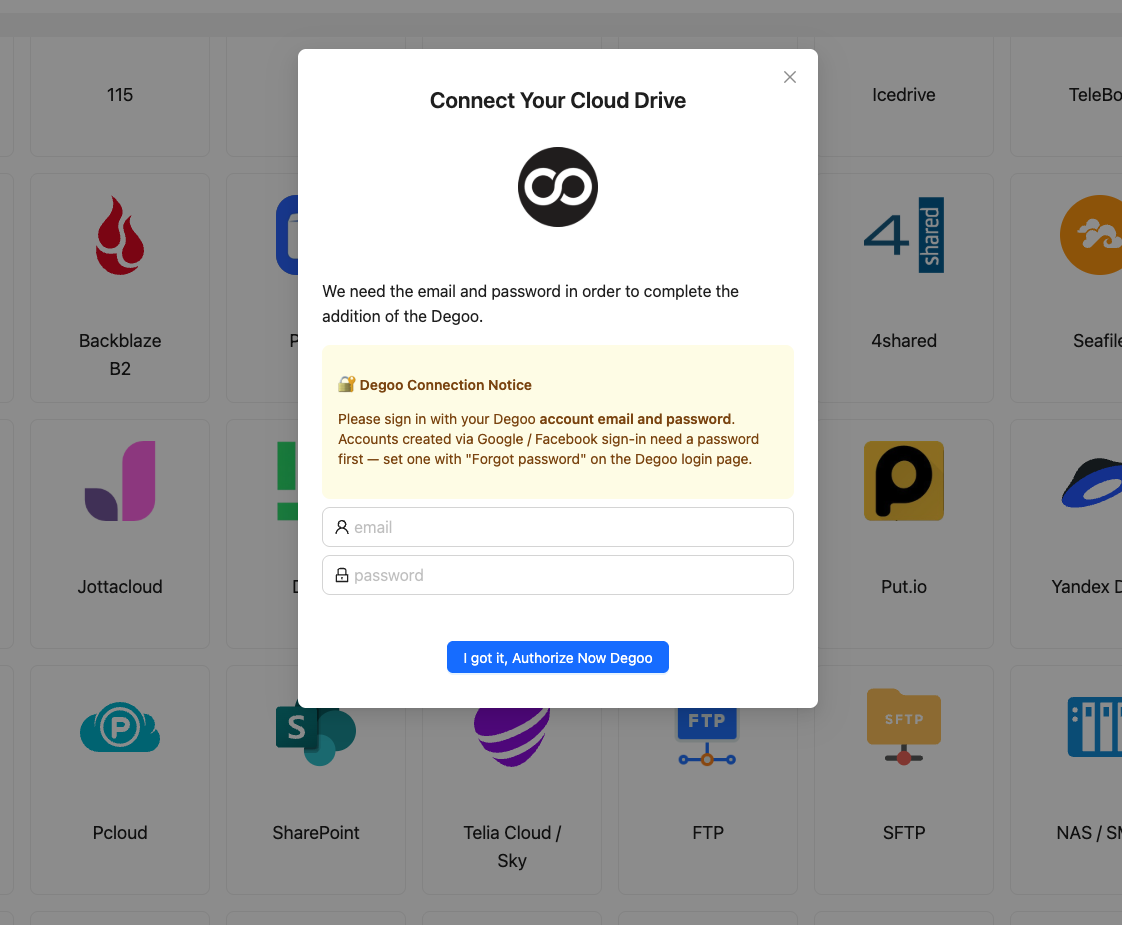
Click Add Cloud → Degoo and sign in with the Degoo account email and password. The cached session covers future offload runs — handy if you settle on the keep-pCloud-add-Degoo split and schedule recurring moves.
Step 3: Configure the Transfer
Open Transfer, select pCloud as source, and mark folders — or use the date filter for an overflow-style migration ("unmodified for 18 months"). Choose the Degoo destination folder.
Add the size filter matching your Degoo plan cap. Copy preserves the pCloud originals; switch to Move only for repeat offload runs after you trust the pipeline.
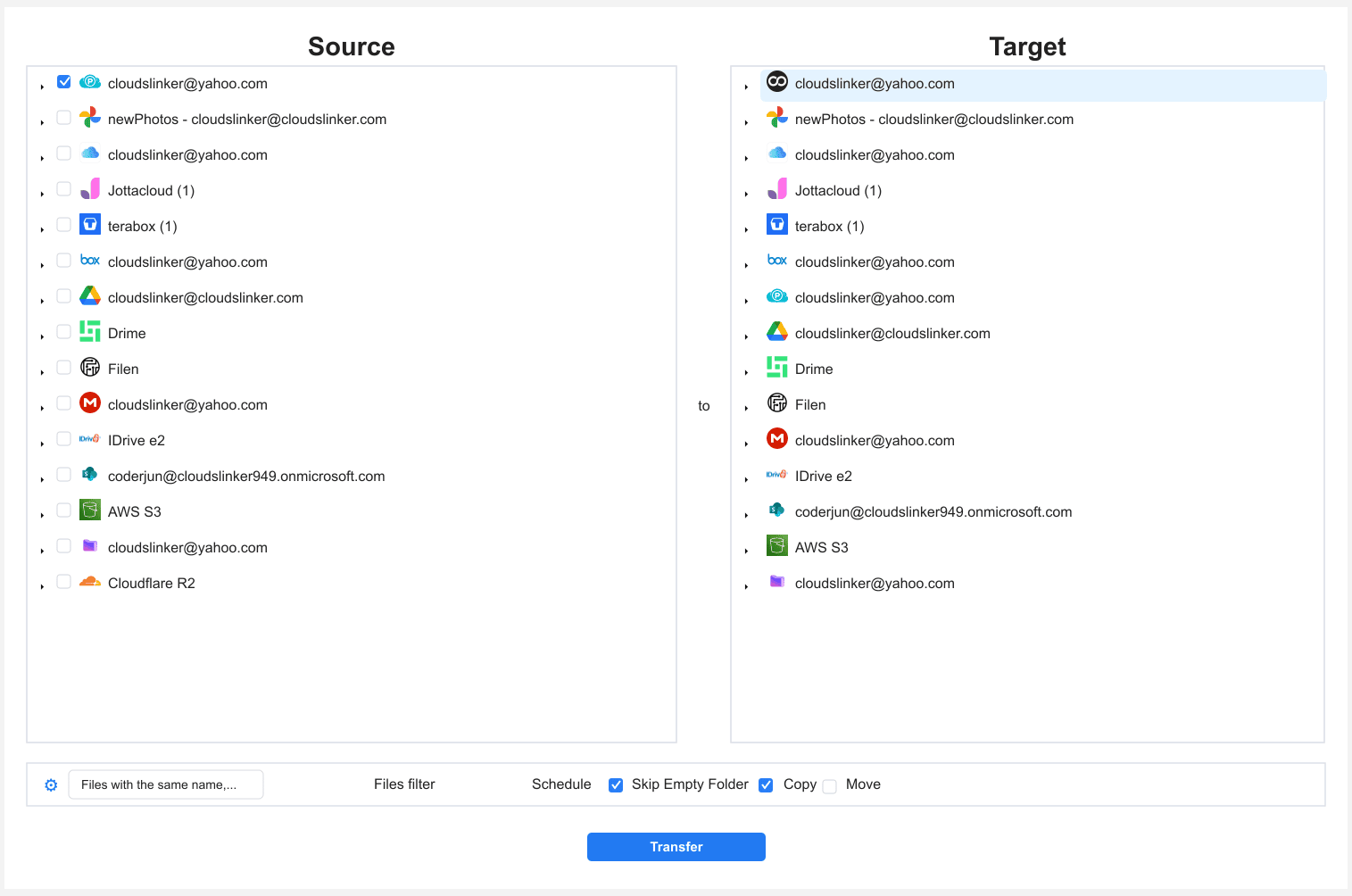
Step 4: Start and Monitor the Transfer
Launch the job and watch the Task List — throughput on this pair is typically limited by average file size rather than either cloud. The task keeps running with the browser closed and reports skipped files (over-cap sizes) at the end.
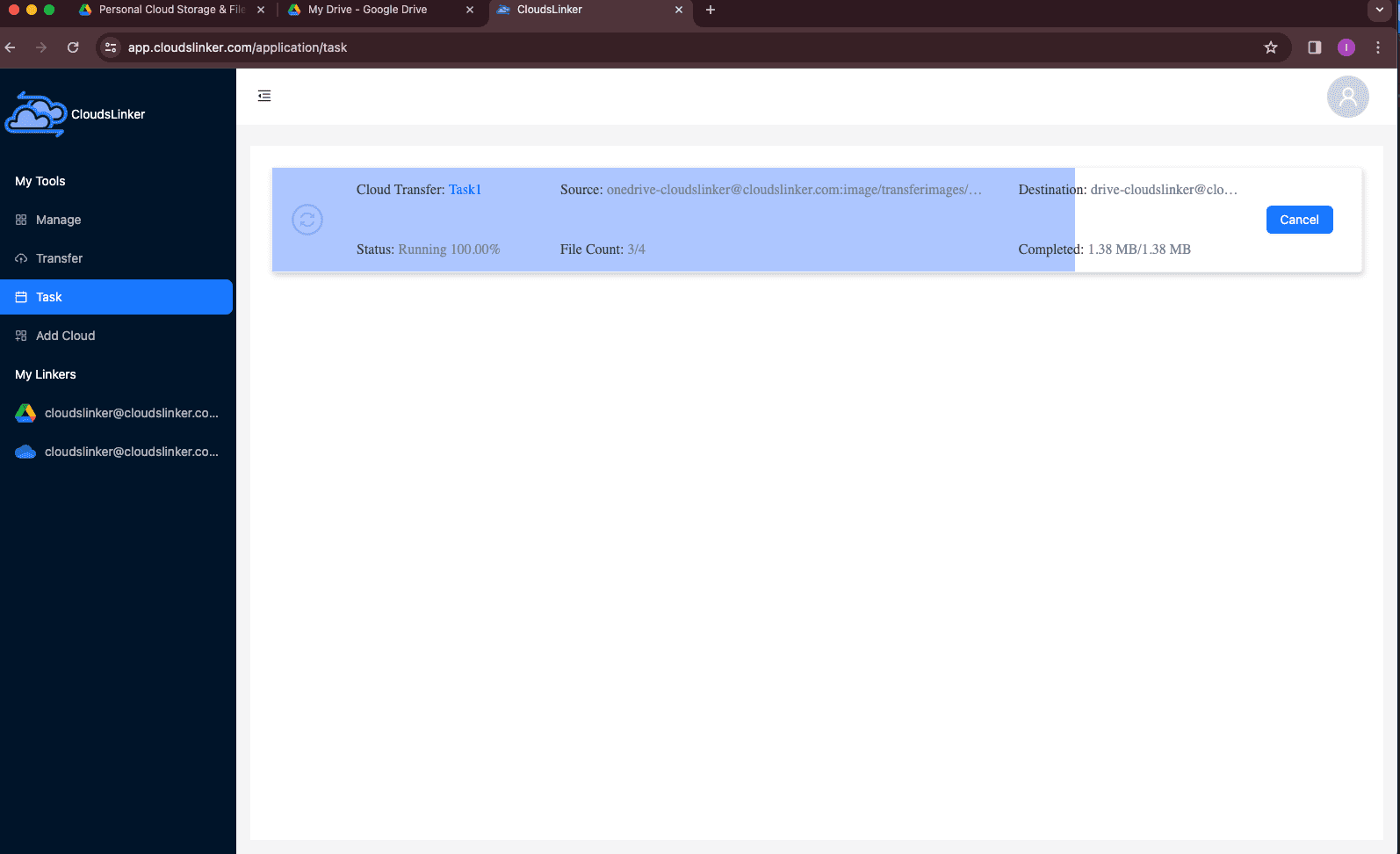
Comparing the Ways to Transfer From pCloud to Degoo
| Method | Ease of Use | Speed | Best For | Uses Local Bandwidth | Skill Level |
|---|---|---|---|---|---|
| Web download / upload | Easy | Moderate (pCloud is fast; upload is the drag) | Tens of GB, one-off moves | Yes — twice | Basic |
| CloudsLinker | Easy | Fast — both clouds unmetered | Lifetime-scale libraries; recurring offloads | No | Basic |
- Keep the Lifetime working, archive the rest: a paid-for pCloud 2 TB with desktop sync is worth keeping as the active tier. The economical pattern is overflow offloading to Degoo, not abandonment.
- Empty Crypto deliberately: zero-knowledge folders don't migrate on either side. Decrypt-and-move in the pCloud client first; re-protect in Degoo's Top Secret folder after, if needed.
- Watch Degoo lifetime-deal windows: if a 10 TB Degoo lifetime offer is live on deal platforms, the economics shift from subscription math to a one-time purchase — check before subscribing.
- Date filters beat manual sorting: "everything older than 18 months" captures the archive tier with one rule and keeps recent projects in pCloud automatically.
- Timestamps flatten in Degoo: upload date replaces modification date on arrival. If chronology matters to the archive, bake dates into the folder names pCloud-side first.
- Verify before any deletion: compare the task report's file counts against pCloud's folder properties; pCloud's trash keeps deletions 30 days as the final safety net.
Watch: Transfer pCloud Files to Degoo with CloudsLinker
A complete walkthrough of the cloud-to-cloud route: authorizing pCloud via OAuth, connecting Degoo with account credentials, selecting which folders to move, and monitoring progress in the Task List — no local download or upload involved.
Frequently Asked Questions
Conclusion
pCloud is one of the friendliest clouds to migrate out of — unlimited download speed and no metering — which makes the manual route genuinely usable for double-digit gigabytes. At the hundreds-of-gigabytes scale where lifetime plans overflow, CloudsLinker's server-side copy is the difference between a configured job and a week of supervised browser transfers. Land the archive in a dedicated Degoo folder, verify the counts, and keep the pCloud Lifetime as your working tier — it's paid for, after all.
Online Storage Services Supported by CloudsLinker
Transfer data between over 58 cloud services with CloudsLinker

OneDrive

Google Drive

Google Photos

Shared Drive

OneDrive for Business

Dropbox

Box

Mega

pCloud

Yandex

ProtonDrive

AWS

GCS

iDrive

Storj

DigitalOcean

Wasabi

1fichier

PikPak

TeleBox

OpenDrive

Backblaze B2

Fastmail file

SharePoint

Nextcloud

ownCloud

Premiumize me

HiDrive

Put.io

Sugar Sync

Jottacloud

Seafile

Ftp

SFtp

NAS

WebDav

4shared

Icedrive

Cloudflare R2

Scaleway

Hetzner Object Storage

Synology C2 Object Storage

S3 Compatible

Doi

iCloud Drive

iCloud Photos

FileLU

Zoho WorkDrive

Telia Cloud / Sky

Drime

Filen

TeraBox

Internxt

Degoo

Gofile

Pixeldrain

Shade

Koofr
Didn' t find your cloud service? Be free to contact: [email protected]
Further Reading
Effortless FTP connect to google drive: Transfer Files in 3 Easy Ways
Learn More >
Google Photos to OneDrive: 3 Innovative Transfer Strategies
Learn More >
Google Photos to Proton Drive: 3 Effective Transfer Techniques
Learn More >