Pixeldrain to Wasabi: End the Egress Meter on Your Archive
Move a Pixeldrain archive into Wasabi — flat $6.99/TB with zero egress fees. One metered export pass, then retrieval is free forever after.
Introduction
Wasabi's pitch is the mirror image of Pixeldrain's: storage at a flat $6.99 per TB per month with no egress fees at all, where Pixeldrain meters every filesystem download. Interestingly, Pixeldrain's raw storage is cheaper (€4/TB), so this move isn't about the storage bill — it's about what an archive is for. Data you might need to pull back in bulk someday (backups, footage, project archives) sits uneasily behind a per-TB download meter; on Wasabi, retrieval costs nothing whether it happens once or every quarter. Add S3 compatibility — versioning, object lock, the whole tool ecosystem — and Wasabi is where a Pixeldrain archive graduates to. Two routes below: manual, and one server-side pass with CloudsLinker.
Pixeldrain is a Netherlands-based storage service with a Pro-tier hierarchical filesystem, metered in both directions: €4 per TB per month stored, and billed egress (~€1–2/TB) on every download.
- €4/TB/month storage — cheap parking
- No free filesystem downloads
- API-key access; no S3 interface
- Pro feature; free tier is link sharing
Wasabi is S3-compatible object storage built for archives: a flat $6.99 per TB per month, no egress fees within fair use, a 1 TB minimum monthly charge, and the full S3 tool ecosystem.
- $6.99/TB/month flat; free egress
- 1 TB minimum monthly charge
- 5 TB max object; versioning, Object Lock
- Access Key + Secret Key (S3-compatible)
| Feature | Pixeldrain | Wasabi |
|---|---|---|
| Storage price | €4/TB/mo, metered to usage | $6.99/TB/mo, 1 TB minimum |
| Egress / retrieval | Billed: ~€1/TB Prepaid, €2/TB shared | Free (fair-use policy) |
| Storage model | Hierarchical filesystem | S3 buckets + key prefixes |
| Durability features | Basic file storage | Versioning, Object Lock (immutability) |
| Max single file / object | No published cap (paid) | 5 TB |
| Connection in CloudsLinker | API key (Pro) | Access Key + Secret Key + endpoint |
Sources: Pixeldrain: Filesystem guide, Pixeldrain: pricing, Wasabi: pricing, Wasabi Docs: service limits.
Run the size check first: if the archive is well under 1 TB, Wasabi's billing minimum means you'd pay for capacity you don't use — either consolidate more data into the move or stay put. Create the Wasabi bucket in your preferred region and generate a scoped Access Key pair (not root keys). Decide a key-prefix convention up front — object storage has no real folders, so a scheme like pixeldrain-archive/2026/ saves reorganizing later. Keep the Pixeldrain plan active until the copy is verified; the export itself will incur one final metered egress charge (~€1/TB), which is normal and expected.
Method 1: Download and Upload via the Wasabi Console
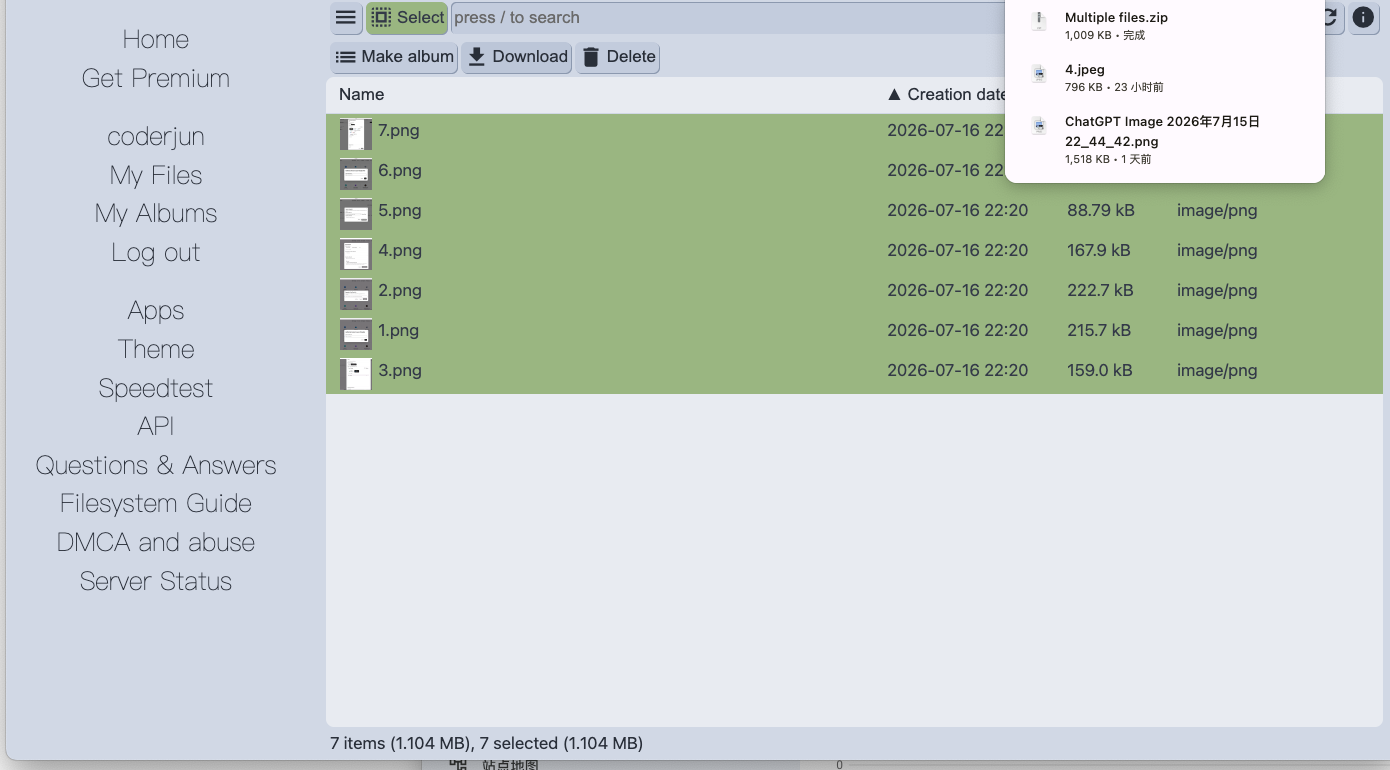
Step 1: Download from the Pixeldrain filesystem
Select the archive directories in the Pixeldrain filesystem and download them locally. The read is metered per TB, and a failed large download still counts against the meter — batch into reasonable chunks.
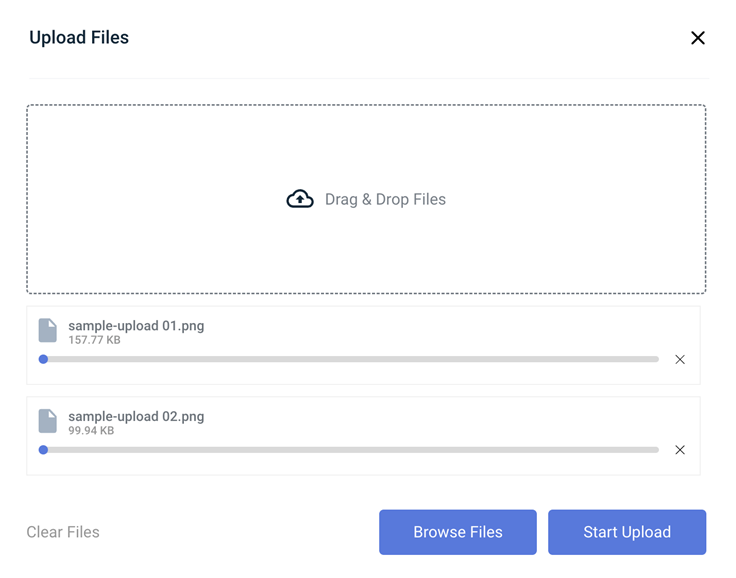
Step 2: Upload into the Wasabi bucket
Sign in to the Wasabi console, open the bucket and drag the folders in — the console maps them to key prefixes. For very large batches the console upload is fragile; the S3 CLI is steadier but adds setup.
Twice through your own connection, plus local disk staging for the whole archive. Fine for a few hundred gigabytes; painful at terabyte scale.
Method 2: Copy Pixeldrain to Wasabi in the Cloud
Filesystem to S3 bucket in one pass
CloudsLinker reads the Pixeldrain filesystem by API key and writes multipart uploads straight into your Wasabi bucket. No local staging disk, one metered read of the source, and directory structure arrives as matching key prefixes.
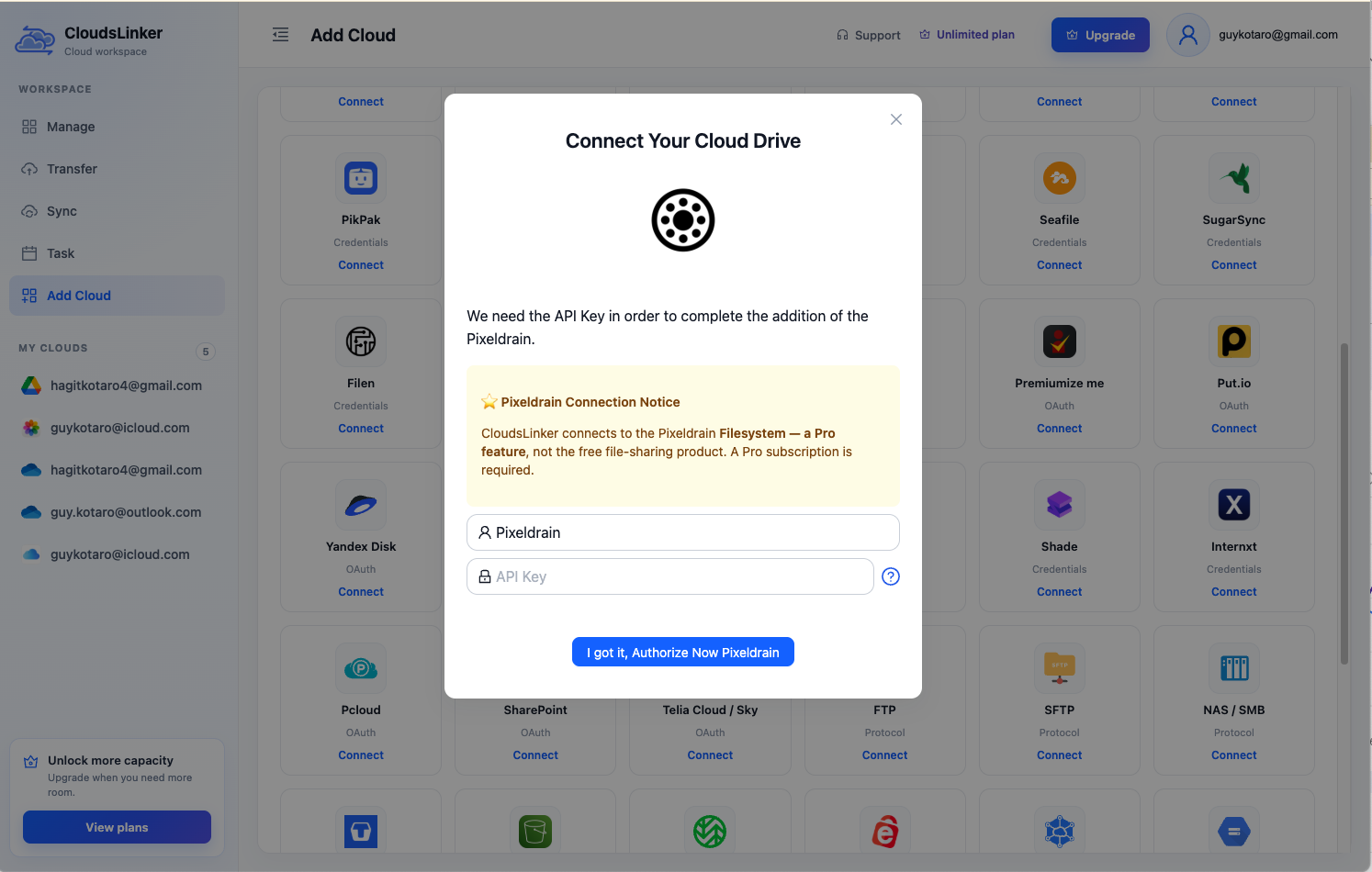
Step 1: Connect Pixeldrain
Click Add Cloud → Pixeldrain, enter a display name and paste an API key from pixeldrain.com/user/api_keys.
Step 2: Connect Wasabi
Generate an Access Key pair in the Wasabi console under Access Keys.
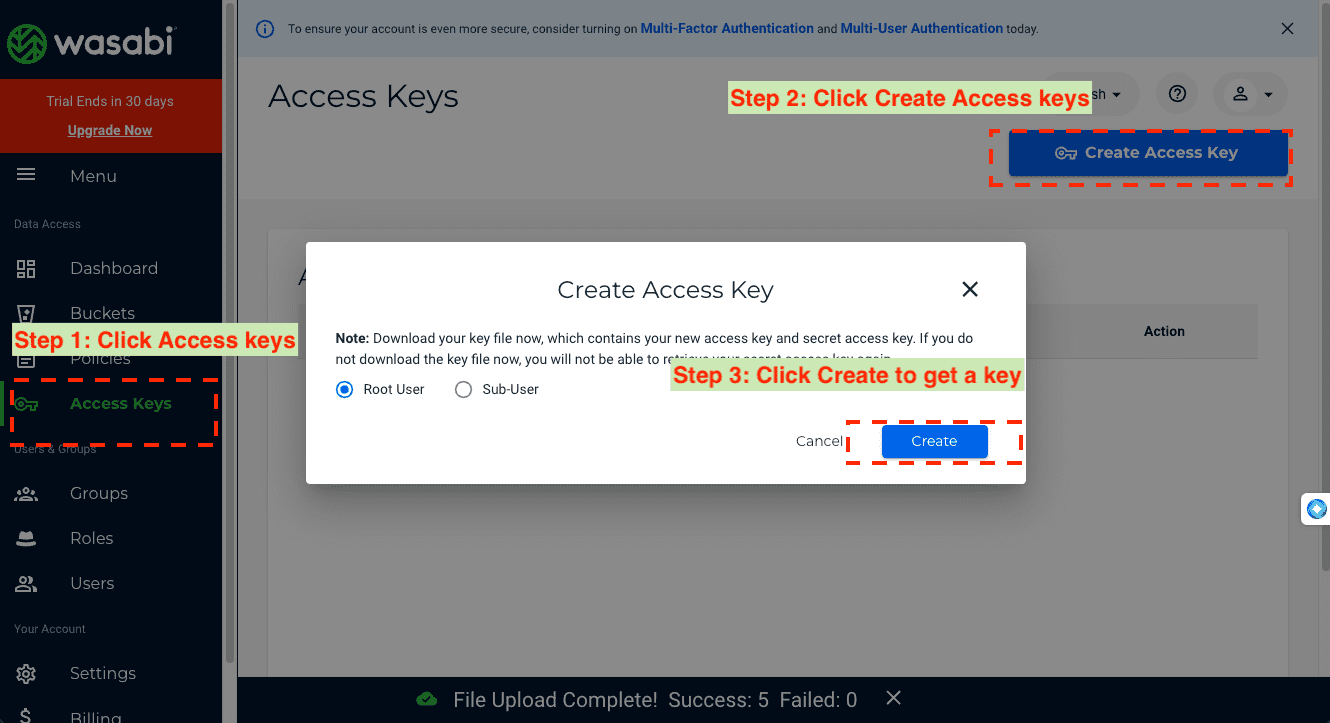
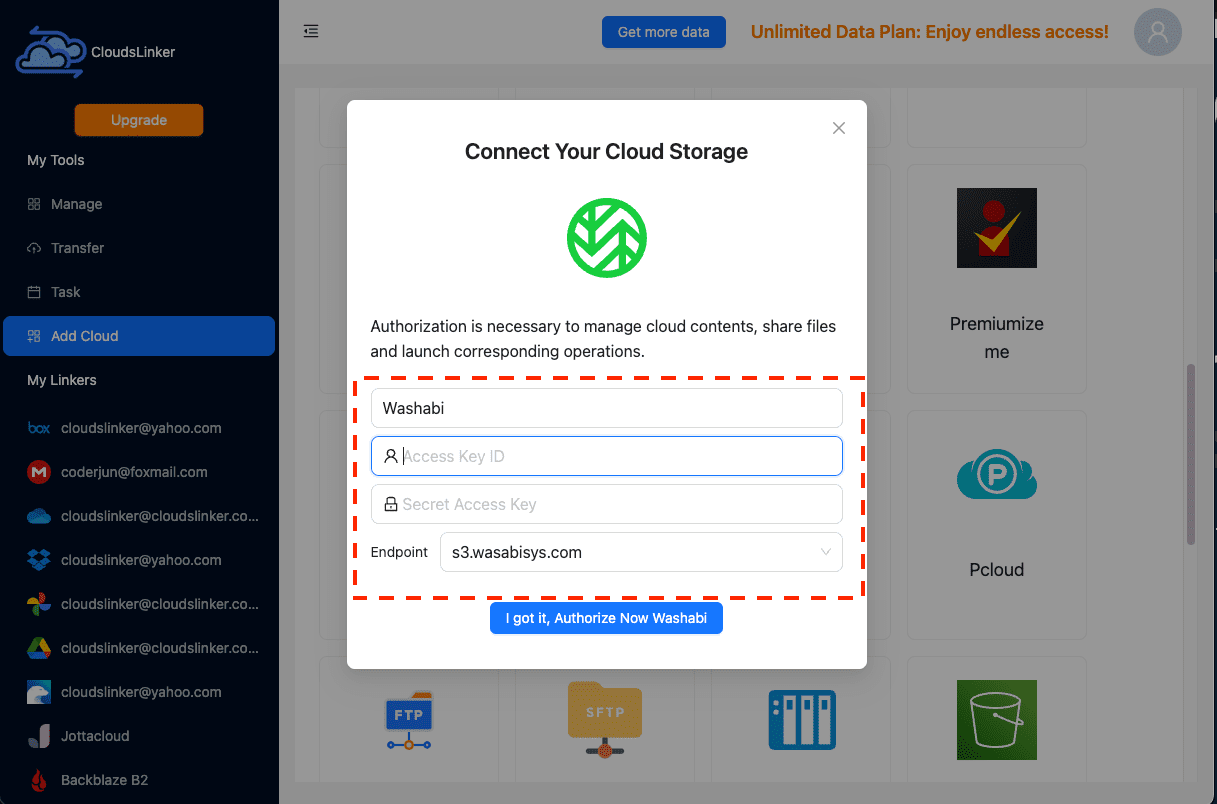
Then in CloudsLinker, click Add Cloud → Wasabi, paste the Access Key ID and Secret Access Key, and pick the endpoint matching your bucket's region (for example s3.eu-central-1.wasabisys.com).
Step 3: Configure the Transfer
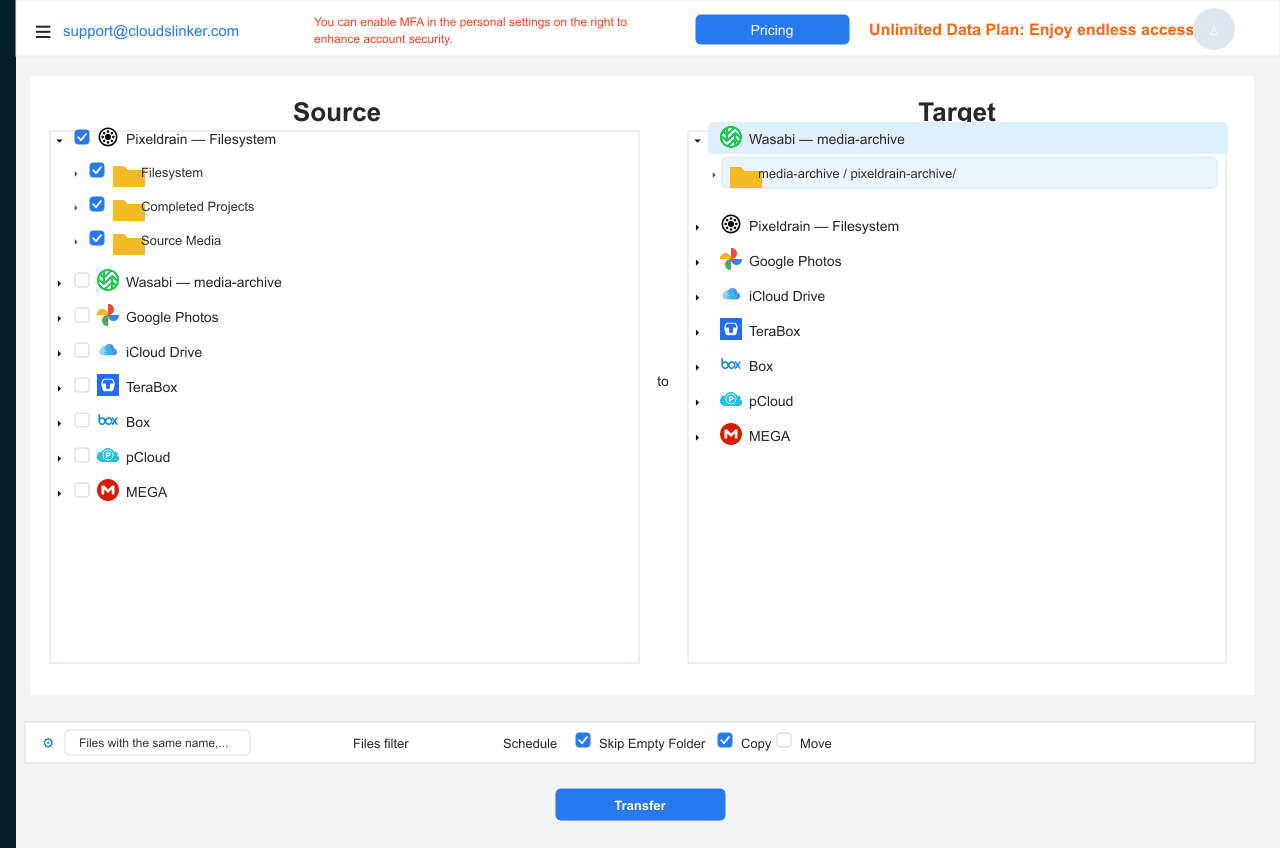
Set Pixeldrain as the source and select the archive directories; set Wasabi as the destination with the bucket and key prefix. Filter by type or size if only part of the filesystem is archive-grade — filtered gigabytes are metered egress you don't pay.
Step 4: Start and Monitor the Transfer
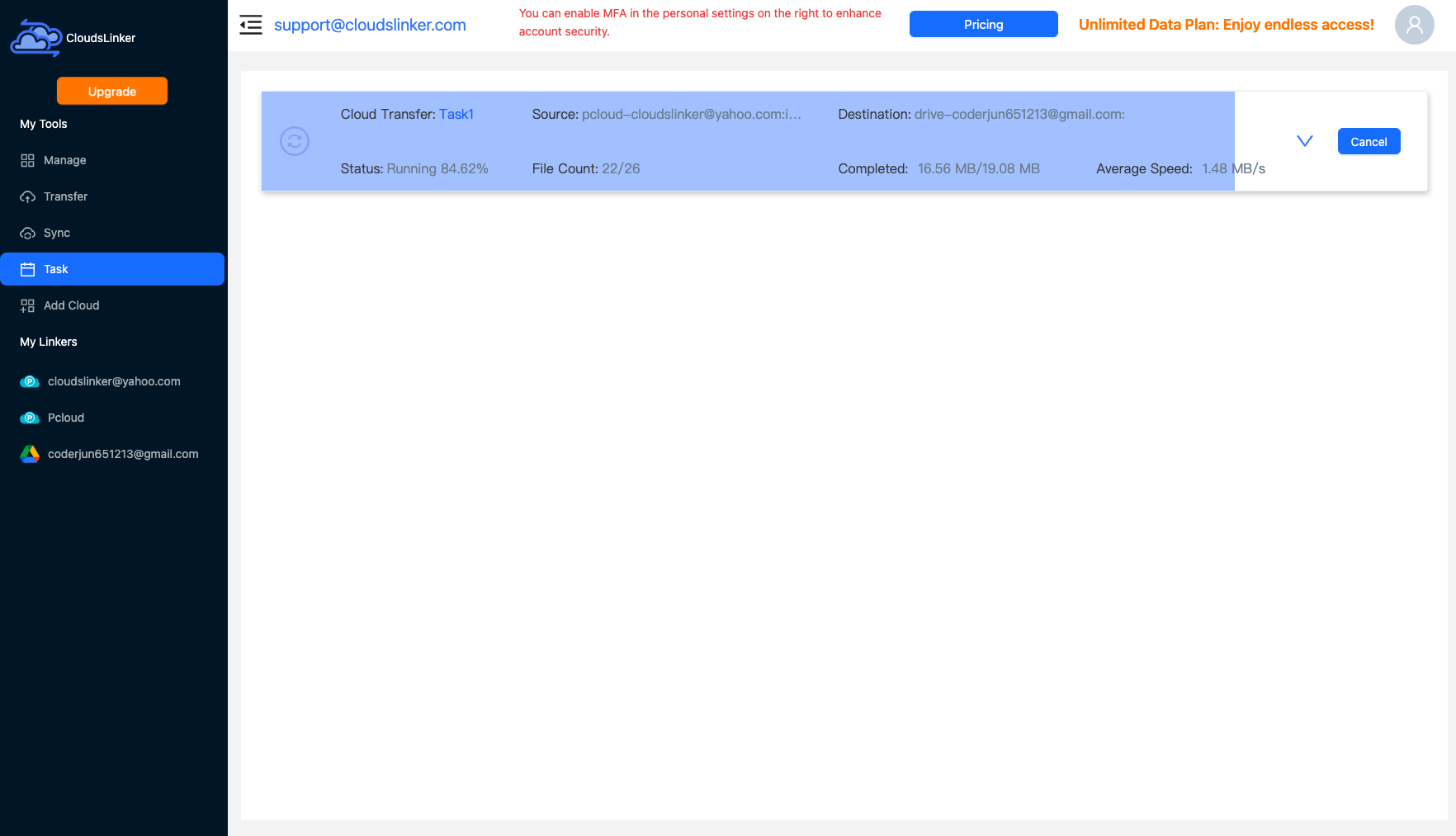
Start the job and follow the Task List. The pass runs server-side end to end; when it completes, verify object counts in the bucket before touching the Pixeldrain originals.
Comparing the Ways to Transfer From Pixeldrain to Wasabi
| Method | Ease of Use | Speed | Best For | Uses Local Bandwidth | Skill Level |
|---|---|---|---|---|---|
| Console download / upload | Medium | Slow + local staging | Sub-100 GB archives | Yes — twice | Basic |
| CloudsLinker | Easy | Fast (server-side, multipart) | Terabyte-scale archives | No | Basic |
- Respect the 1 TB floor: Wasabi bills a 1 TB minimum monthly — consolidate archives to clear it, or the flat rate stops being cheap.
- Never use root keys: generate a scoped Access Key pair for CloudsLinker so it can be rotated or revoked independently.
- Plan key prefixes before, not after: renaming "folders" in object storage means copying every object — pick the prefix scheme first.
- Consider Object Lock: for backup archives, immutability is the feature that justifies the move — enable it at bucket creation, it can't be added later.
- Expect one last meter charge: the export reads the Pixeldrain filesystem once (~€1/TB) — that's the exit toll, not a recurring cost.
- Stop the source meter: after verifying object counts, delete the Pixeldrain directories so the €4/TB storage billing ends.
Frequently Asked Questions
Conclusion
The honest arithmetic: staying on Pixeldrain is cheaper per stored TB, and moving to Wasabi is cheaper the moment retrieval matters — one bulk restore from Pixeldrain can cost more than a month of the price difference. If the archive clears Wasabi's 1 TB billing minimum, the migration is one CloudsLinker pass: filesystem in, S3 bucket out, one final metered egress charge, and the meter never runs again.
Online Storage Services Supported by CloudsLinker
Transfer data between over 58 cloud services with CloudsLinker

OneDrive

Google Drive

Google Photos

Shared Drive

OneDrive for Business

Dropbox

Box

Mega

pCloud

Yandex

ProtonDrive

AWS

GCS

iDrive

Storj

DigitalOcean

Wasabi

1fichier

PikPak

TeleBox

OpenDrive

Backblaze B2

Fastmail file

SharePoint

Nextcloud

ownCloud

Premiumize me

HiDrive

Put.io

Sugar Sync

Jottacloud

Seafile

Ftp

SFtp

NAS

WebDav

4shared

Icedrive

Cloudflare R2

Scaleway

Hetzner Object Storage

Synology C2 Object Storage

S3 Compatible

Doi

iCloud Drive

iCloud Photos

FileLU

Zoho WorkDrive

Telia Cloud / Sky

Drime

Filen

TeraBox

Internxt

Degoo

Gofile

Pixeldrain

Shade

Koofr
Didn' t find your cloud service? Be free to contact: [email protected]
Further Reading
Effortless FTP connect to google drive: Transfer Files in 3 Easy Ways
Learn More >
Google Photos to OneDrive: 3 Innovative Transfer Strategies
Learn More >
Google Photos to Proton Drive: 3 Effective Transfer Techniques
Learn More >